Getting started
1 videoImport / migrate data from daisyBill
Transform your daisyBill export into the mindbill-import-v1 schema, dry-run the preview, then import — bills land badged Imported and non-final bills get an Import Review task.
Play tutorialPatients & injuries
5 videos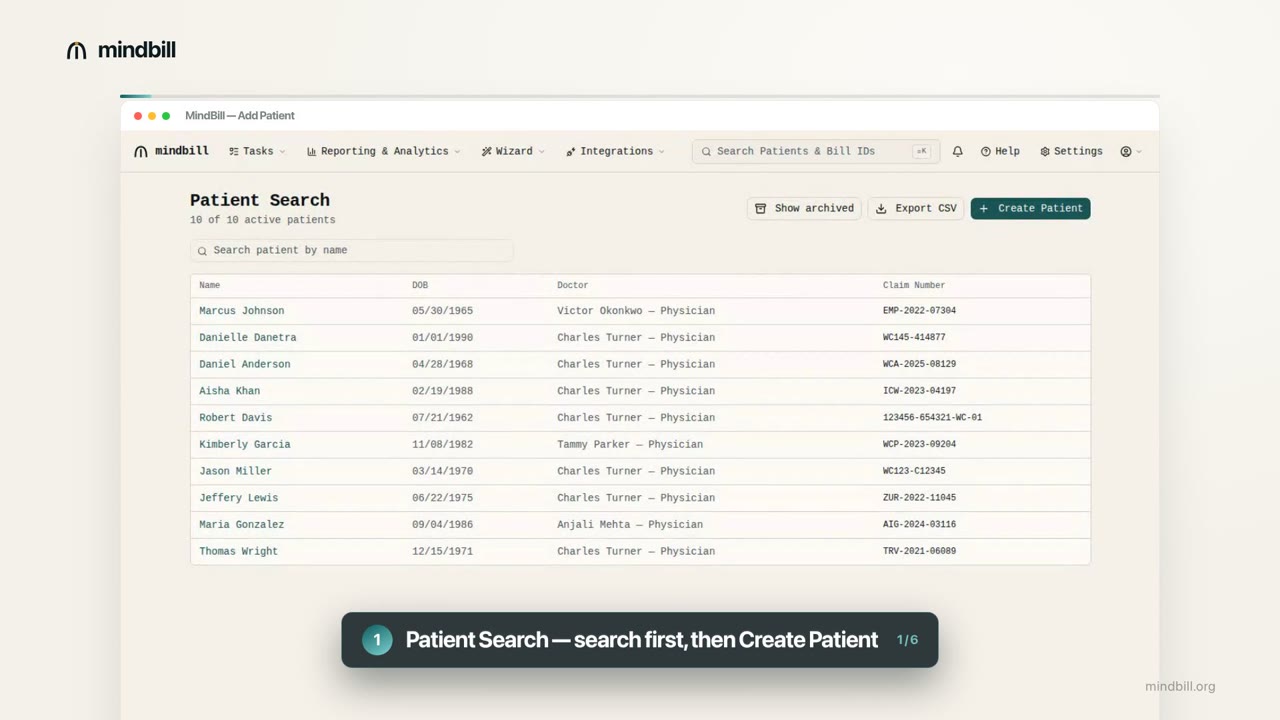 0:56
0:56
How to add a patient
Search the patient directory or register a new injured worker — Mindbill scrubs demographics as you type.
Watch & read guide 1:09
1:09
How to add an injury
File a claim with a searchable 927-payer directory, live claim-number pattern check, and ICD-10 codes.
Watch & read guideInjury notes & the bill-history toggle
Write a claim note once and surface it on the bill-history timeline of every bill under the injury.
Play tutorialAttaching documents to an injury (auto-send)
Upload a report once with its X12 PWK01 type and auto-send it on every bill filed under the injury.
Play tutorialGenerating an injury facesheet
One click from an injury to a fax-ready cover sheet — demographics, claim, diagnoses, and contacts.
Play tutorialBills & sending
3 videos 1:06
1:06
How to add a bill
Pick a patient and injury, apply a med-legal template, and create a bill with live fee-schedule pricing.
Watch & read guide 1:09
1:09
How to send a bill to the clearinghouse
Clear the Mindbill Scrub, then send — we resolve the route and auto-generate the 837P to the clearinghouse.
Watch & read guideReopening, copying & correcting bills
Open Bill to reopen a closed bill, Copy with copy-documents, and Accept & Close to write off an underpayment.
Play tutorialTracking & payments
2 videosTracking a bill: submissions, claim status, EOR & follow-up
Follow a submitted bill through its submission tabs, the payer's payment, the per-line EOR, and the auto-spawned Second Review.
Play tutorialReading the submission tabs
One tab per transmission — Original, Duplicate, Corrected, Second Review, IBR — each with its 277 result and days-to-process.
Play tutorialAppeals & disputes
2 videosAppealing an underpayment: Second Review → IBR
SBR-1 then IBR, with the disputed balance carried over and 13,000+ DWC IBR decisions auto-matched.
Play tutorialFiling a DWC Audit Complaint
Physical address (no P.O. Box), confidential flag, CC email, supporting doc, and contextual reason types.
Play tutorialReports
3 videos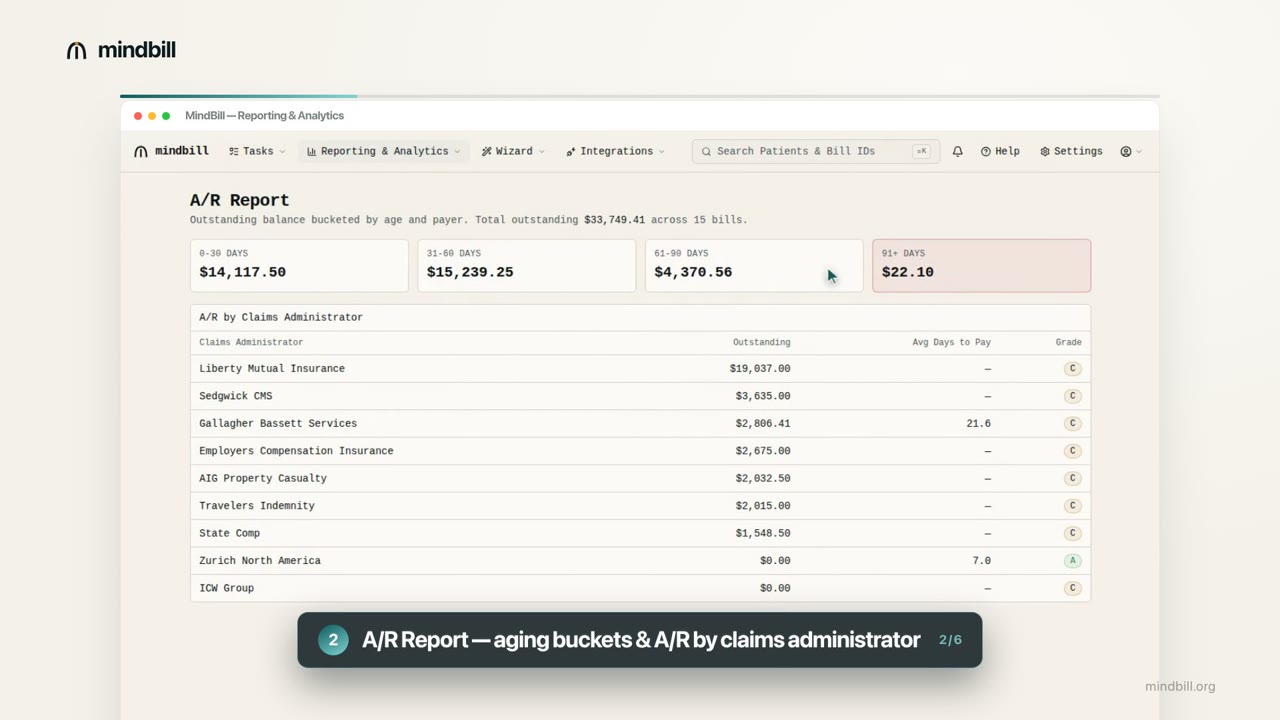 1:18
1:18
Reading your reports & analytics
The report library, A/R aging, Payment Analytics, the 13-week cash forecast, and one-click CSV export.
Watch & read guideViewing an injury's bills & the Bills Ledger
See a claim's bills by bill, by procedure code, and as a printable ledger — with or without the fee schedule.
Play tutorialThe Bill Status Dashboard
Billing × Rendering provider rows by status columns, with filters, drill-down, and CSV — plus the Bills – No Tasks matrix.
Play tutorialPayer & EDI
1 video
Account & configuration
1 videoConfiguring auto-close rules
Per billing-provider and per-claims-administrator percentage windows that auto-close paid bills, with Active toggle and change history.
Play tutorialPractice configuration
2 videosTracking RFAs (Requests for Authorization)
Add and edit RFAs on the injury page; the RFA Count card rolls up No Response / Approved / Denied.
Play tutorialPractice Charges & Expected Reimbursements
Set what you bill vs what you expect to be paid — scoped by code, modifier, DOS, state, and POS, with CSV import.
Play tutorial