Step 1 — Clear the Mindbill Scrub
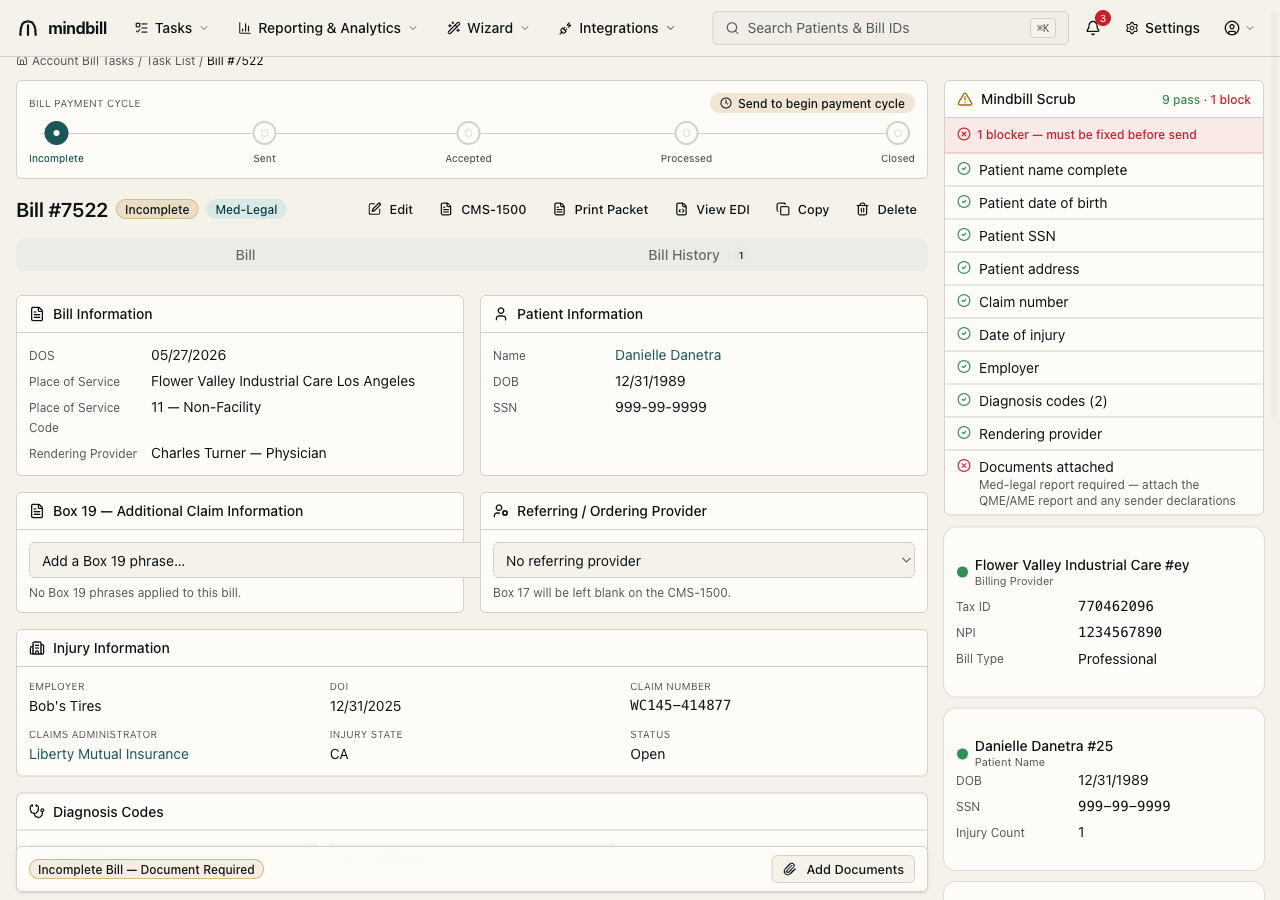
On the bill detail page, the Mindbill Scrub panel lists every pre-flight check with a pass/block count (e.g. 9 pass · 1 block). It validates patient name, DOB, SSN, and address; the claim number, date of injury, and employer; the diagnosis codes; the rendering provider; and whether documents are attached. A red blocker — must be fixed before send is exactly the kind of defect that triggers a payer rejection or a silent delay. Resolve every blocker before you continue.
Step 2 — Attach the report and the §4062.3 sender declaration
The most common medical-legal blocker is Med-legal report required — attach the QME/AME report and any sender declarations. Use Add Documents to upload the J4 medical-legal report. If the bill includes MLPRR (record review beyond the included 200 pages, billed at $3/page), also attach the LC §4062.3 sender declaration attesting the page count under penalty of perjury — without it, the MLPRR line is the single most-rejected med-legal charge. Once the report is attached, the Documents attached check turns green.
Step 3 — Send: the 837P is generated and routed
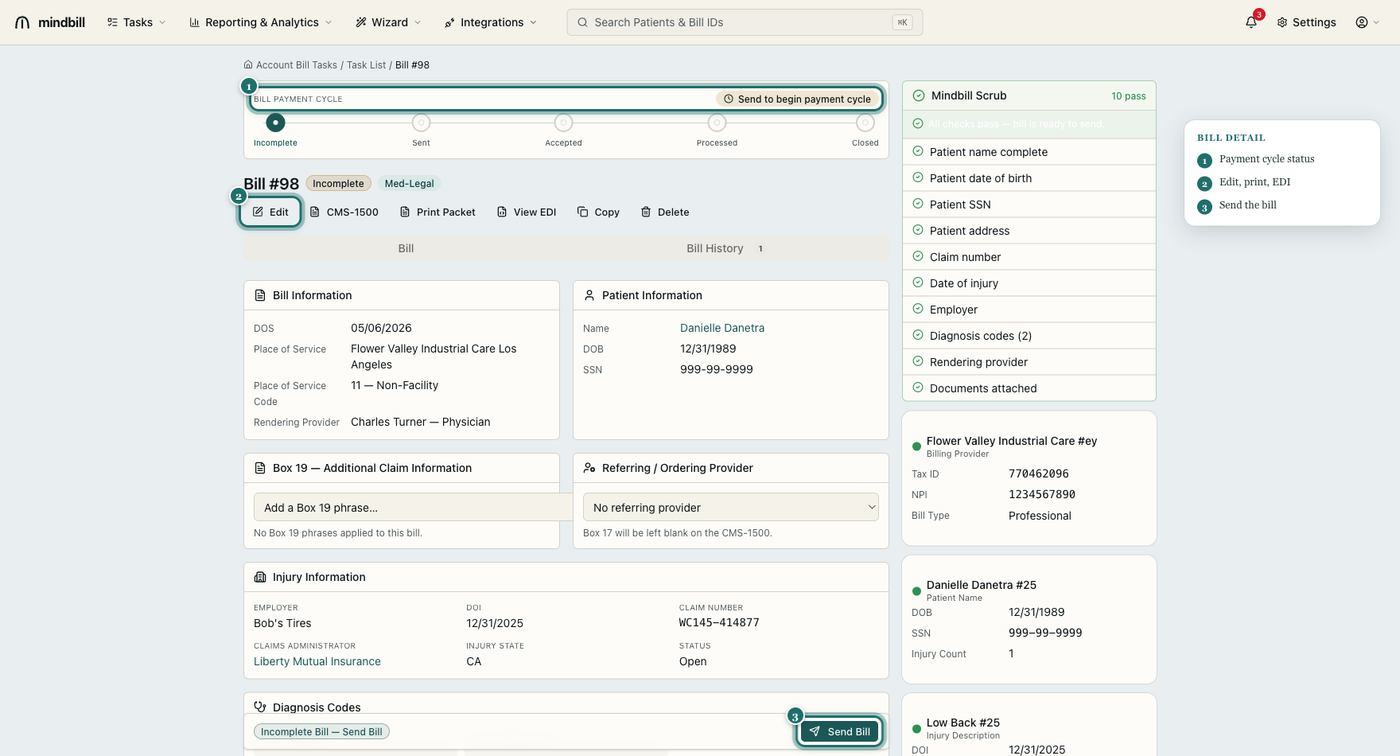
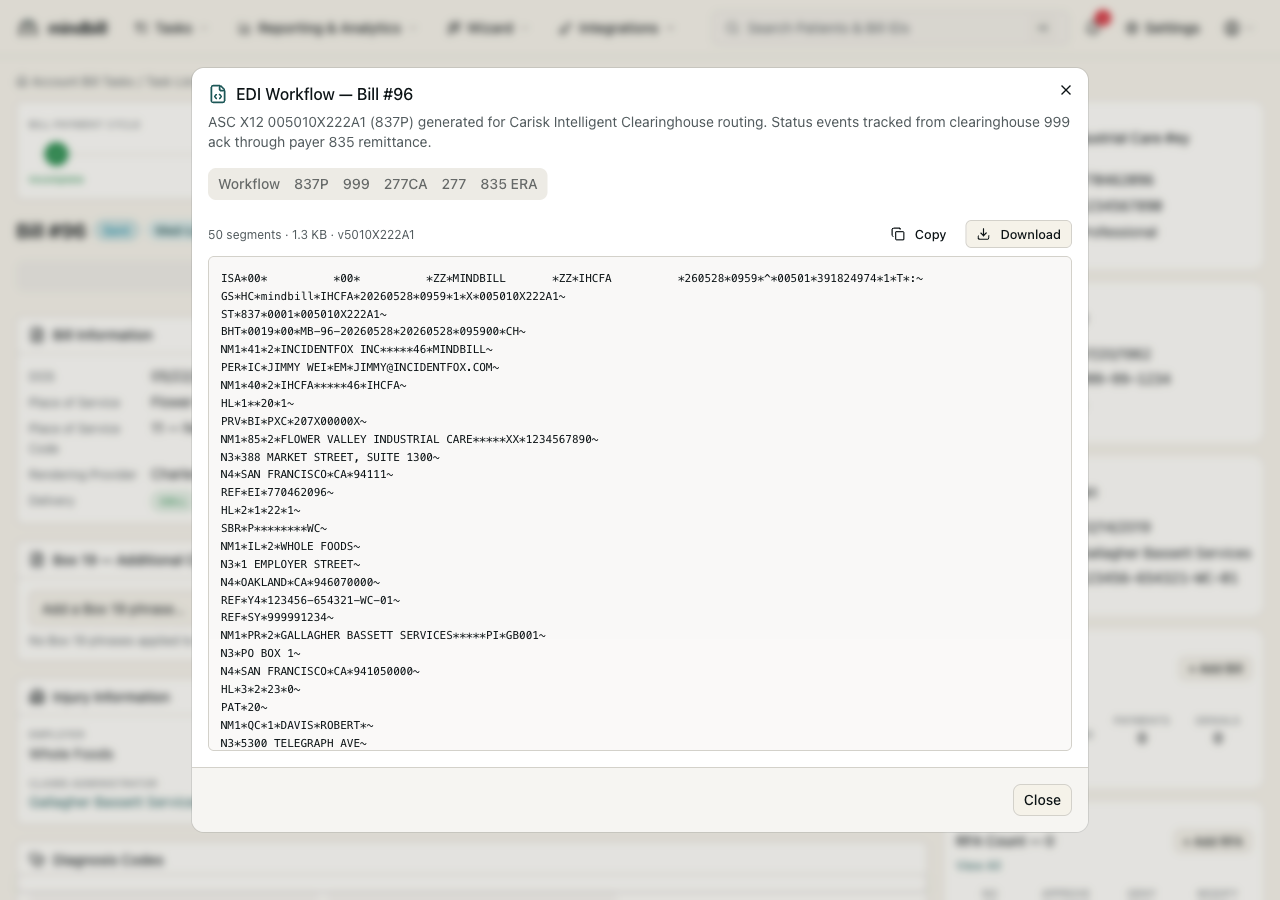
Click Send and Mindbill builds the ASC X12 005010X222A1 (837P) professional claim — a real EDI envelope you can inspect via View EDI, segment by segment, from the ISA/GS headers through the claim and service lines. It auto-routes to the correct clearinghouse for that payer (Carisk Intelligent Clearinghouse is primary; Jopari and Data Dimensions cover the rest), so you never choose a clearinghouse or hand-build a segment. The bill moves from Incomplete to Sent.
Step 4 — Watch the status advance automatically
After send, the payment cycle advances itself as inbound EDI arrives: the 999 functional acknowledgment confirms the clearinghouse received the file, the 277CA confirms the payer accepted the claim, the 277 reports status, and the 835 ERA posts the payment. Each transaction is parsed, matched to the bill, and recorded on the bill history with a timestamp — so a payer can never dispute when you submitted, and you always know exactly where the bill stands.