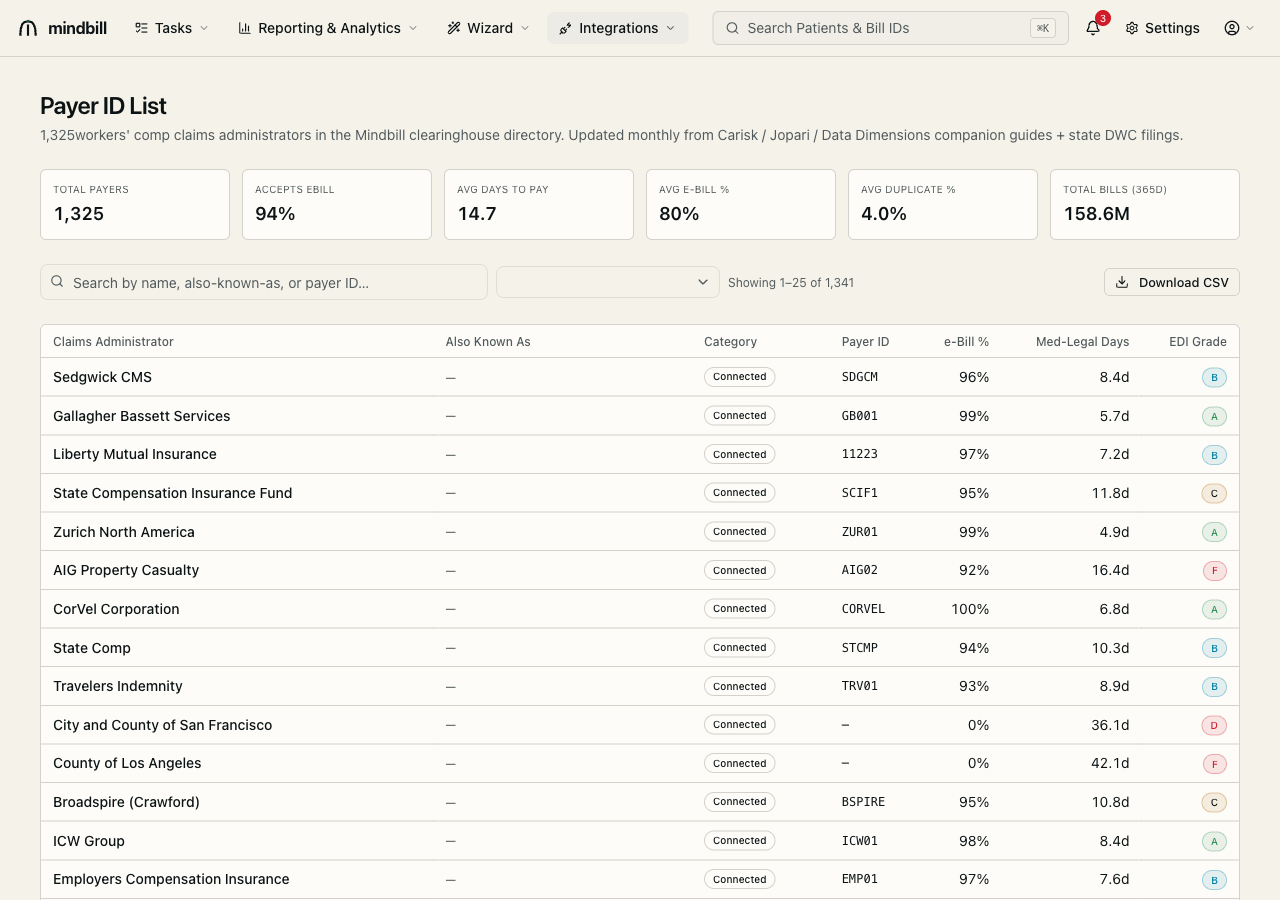
Step 1 — Read the directory and its scorecards
Open the payer directory (/integrations/payer-list). The header tallies the whole network — total payers (1,341), the share that accept e-bill (94%), average days-to-pay (14.7), average e-bill percentage, and total bills tracked over 365 days. The table lists each claims administrator with its also-known-as names, category, payer ID, e-bill %, med-legal days-to-pay, and an EDI grade (A–F). The directory is refreshed monthly from the Carisk, Jopari, and Data Dimensions companion guides plus state DWC filings.
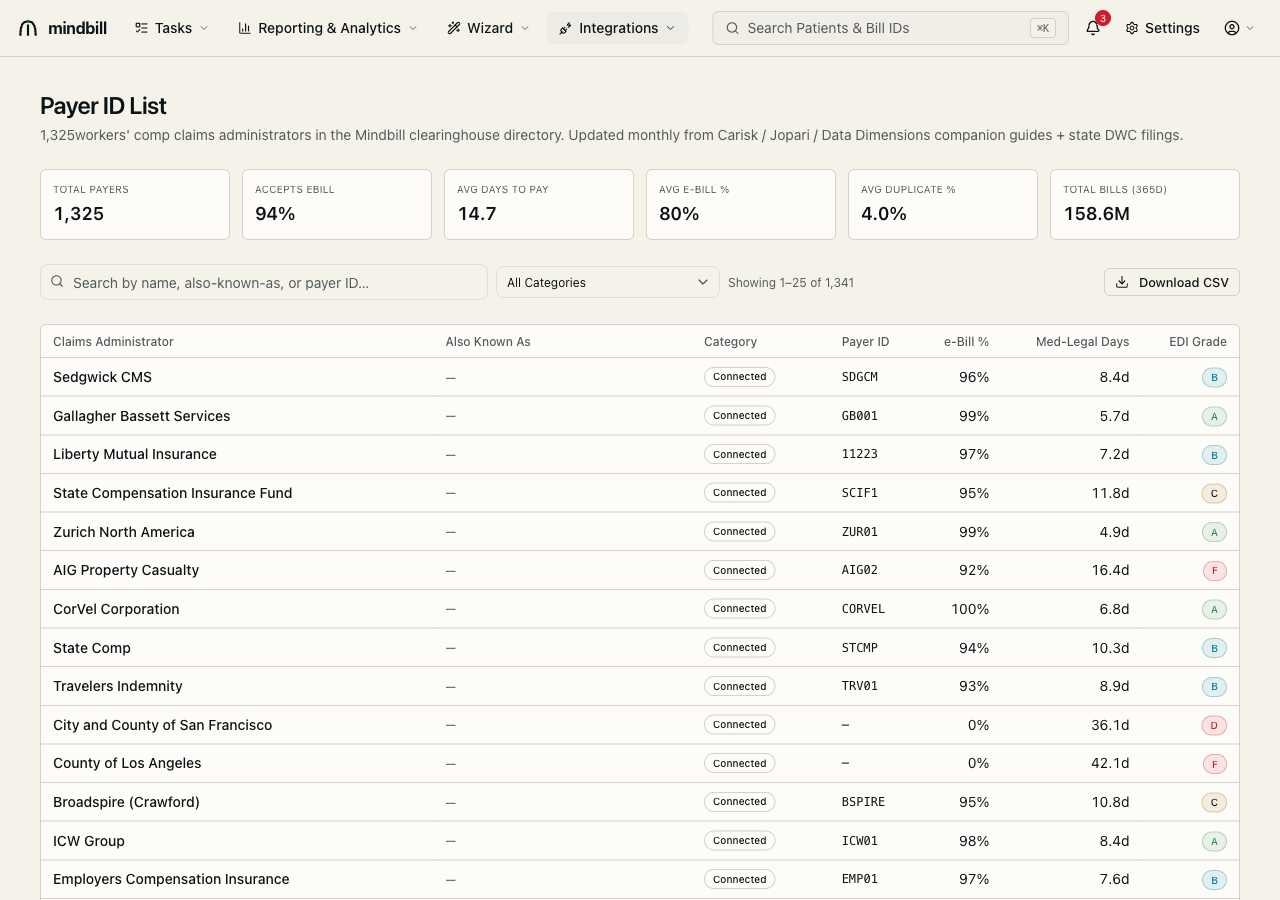
Step 2 — Search by name, AKA, or payer ID
Type any part of a legal name, an also-known-as alias, or a payer ID into the search box and the list filters instantly — searching 'Sedgwick' surfaces Sedgwick CMS (payer ID SDGCM, 96% e-bill, 8.4-day med-legal turnaround, grade B). Matching on AKA and payer ID matters because the same carrier appears under different names across EOR letterheads; the directory resolves them to one routable entry so you never misroute a bill on a name variant.
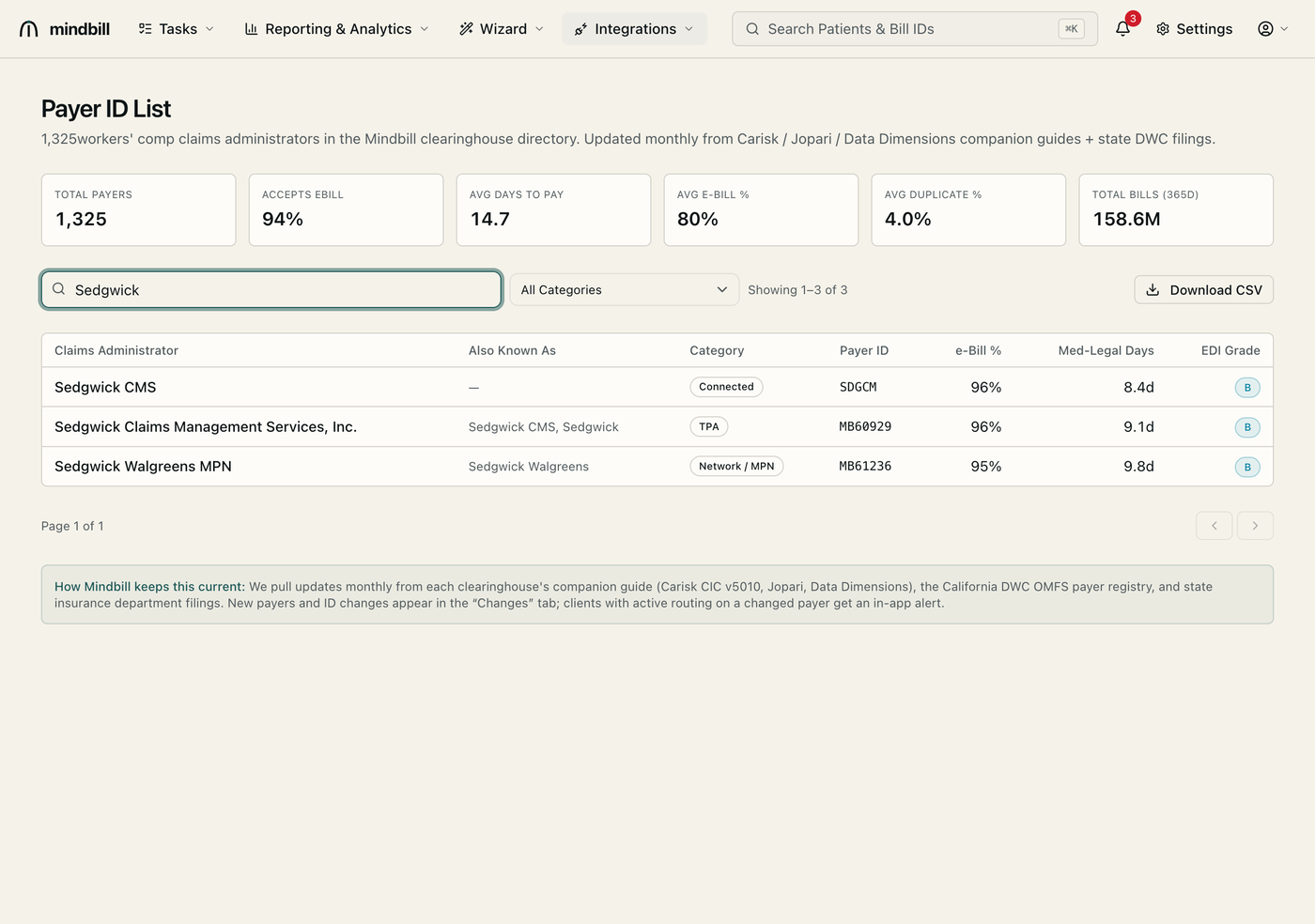
Step 3 — Filter by category
The category dropdown narrows the directory to a payer type — National Insurer, National TPA, Regional Insurer, Regional TPA, State Fund, Network / MPN, Self-Insured, or Government. This is how you find the right entry for a self-insured employer or a public entity (e.g. County of Los Angeles, 0% e-bill, 42-day turnaround, grade F) that bills differently from a national carrier. Pair a category filter with the EDI grade to see which payers in a class are worth chasing electronically versus by paper.
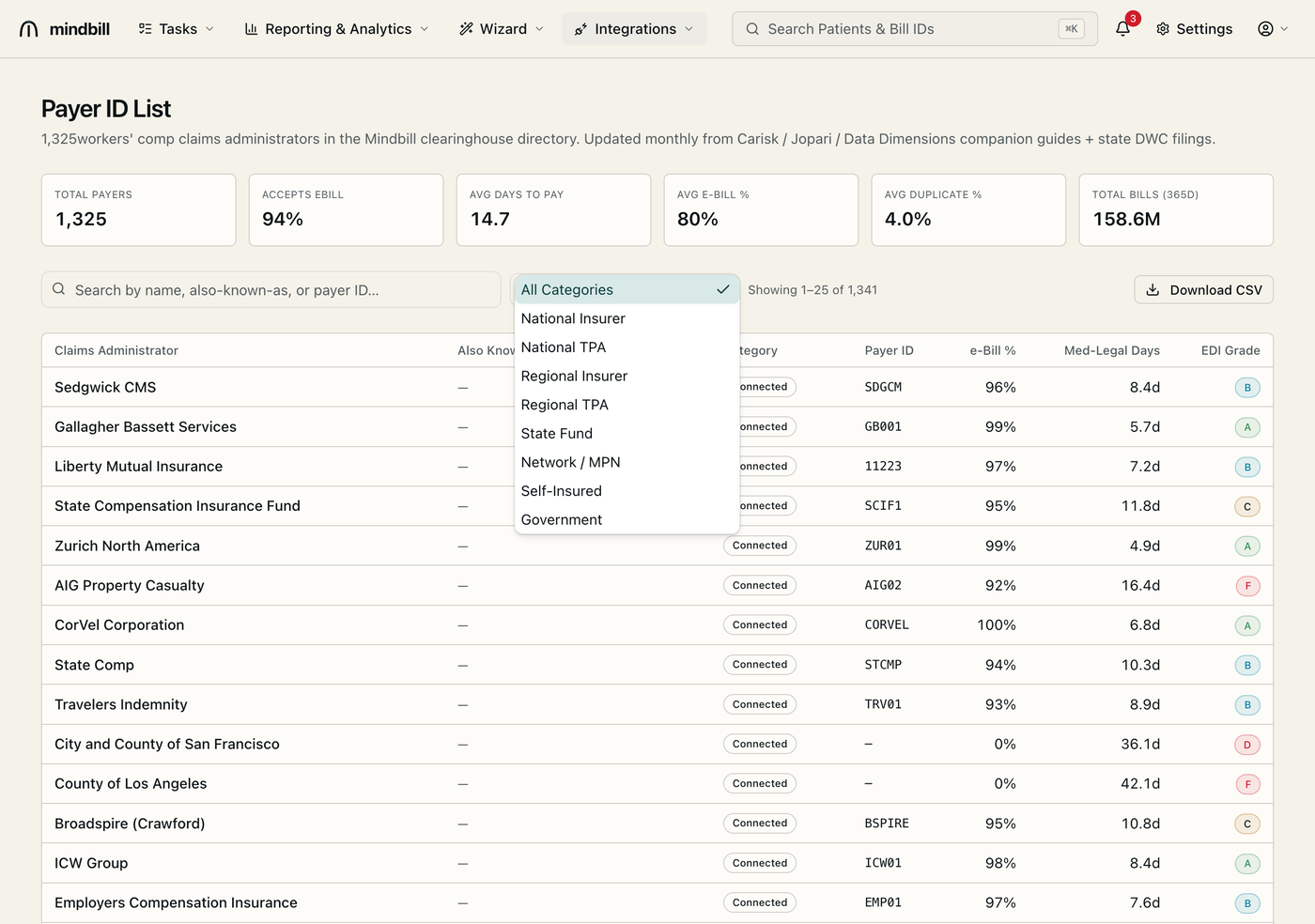
Step 4 — Why coverage and grade matter
No single clearinghouse reaches every California WC payer, so Mindbill routes per payer across Carisk (primary), Jopari, and Data Dimensions — which is how the directory covers 1,341 entries where a one-clearinghouse vendor misses 5–15%. The EDI grade and days-to-pay aren't cosmetic: they feed the cash forecast and flag the slow, low-grade payers (the grade-F, 0%-e-bill public entities) that drive your aged A/R and audit-complaint queue. Pick a graded, routable payer on the injury and the whole downstream pipeline behaves.