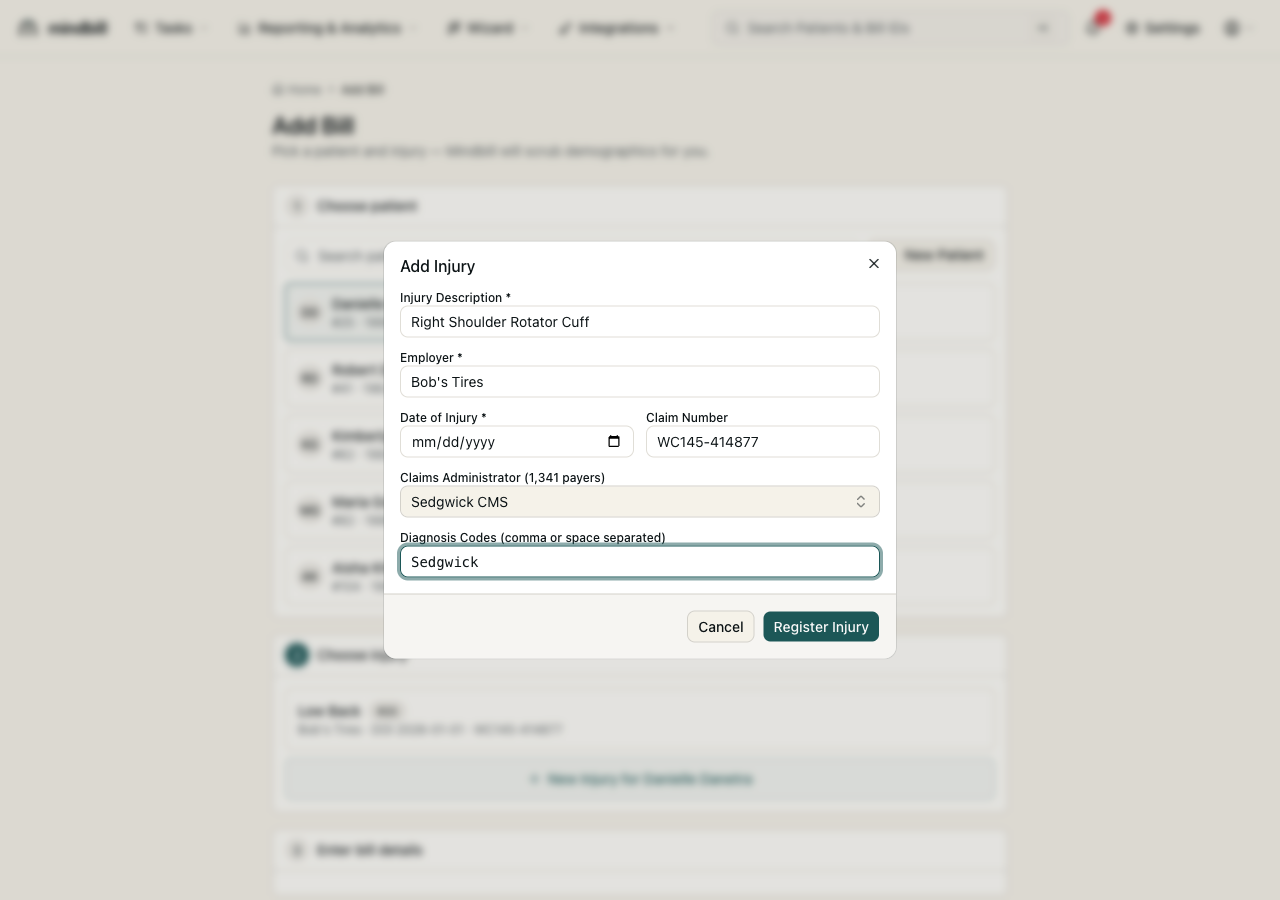
Step 1 — Open the Choose injury step
After you select a patient, Mindbill advances to step 2, Choose injury. Existing injuries for that worker appear as cards showing the description, employer, date of injury, and claim number — for example, Low Back · Bob's Tires · DOI 2026-01-01 · WC145-414877. If the right injury is already listed, click it to continue to bill entry. For a brand-new claim, click New Injury for [patient] to open the Add Injury form.
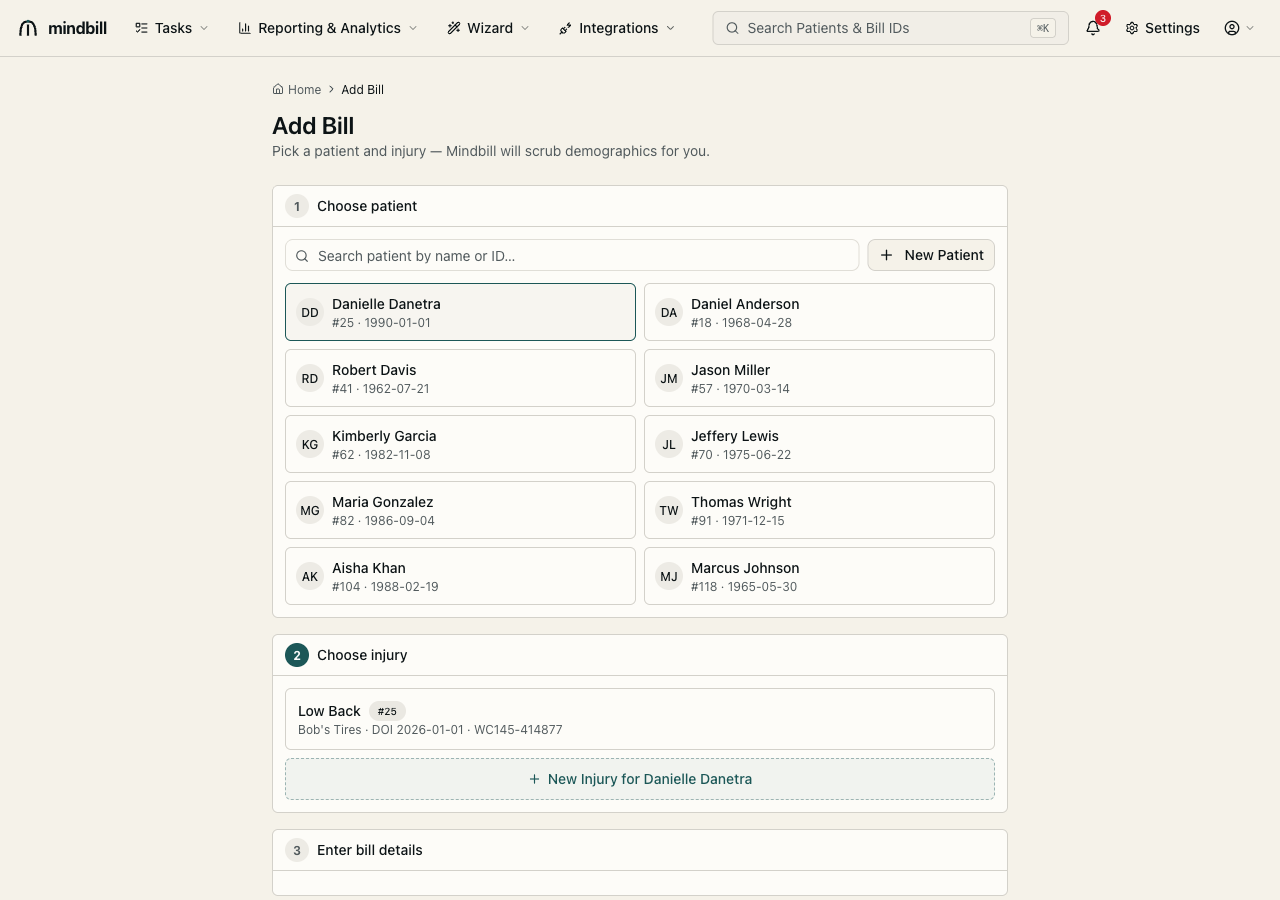
Step 2 — Enter the claim facts
The Add Injury form captures the legal spine of the claim: an injury description, the employer of record, the date of injury, and the claim number assigned by the carrier. Enter them exactly as they appear on the claim — the claim number and DOI are matched by the payer on every bill, and a mismatch is a leading cause of OA-100 'bill not on file' rejections. The injury state defaults to CA for California workers'-comp.
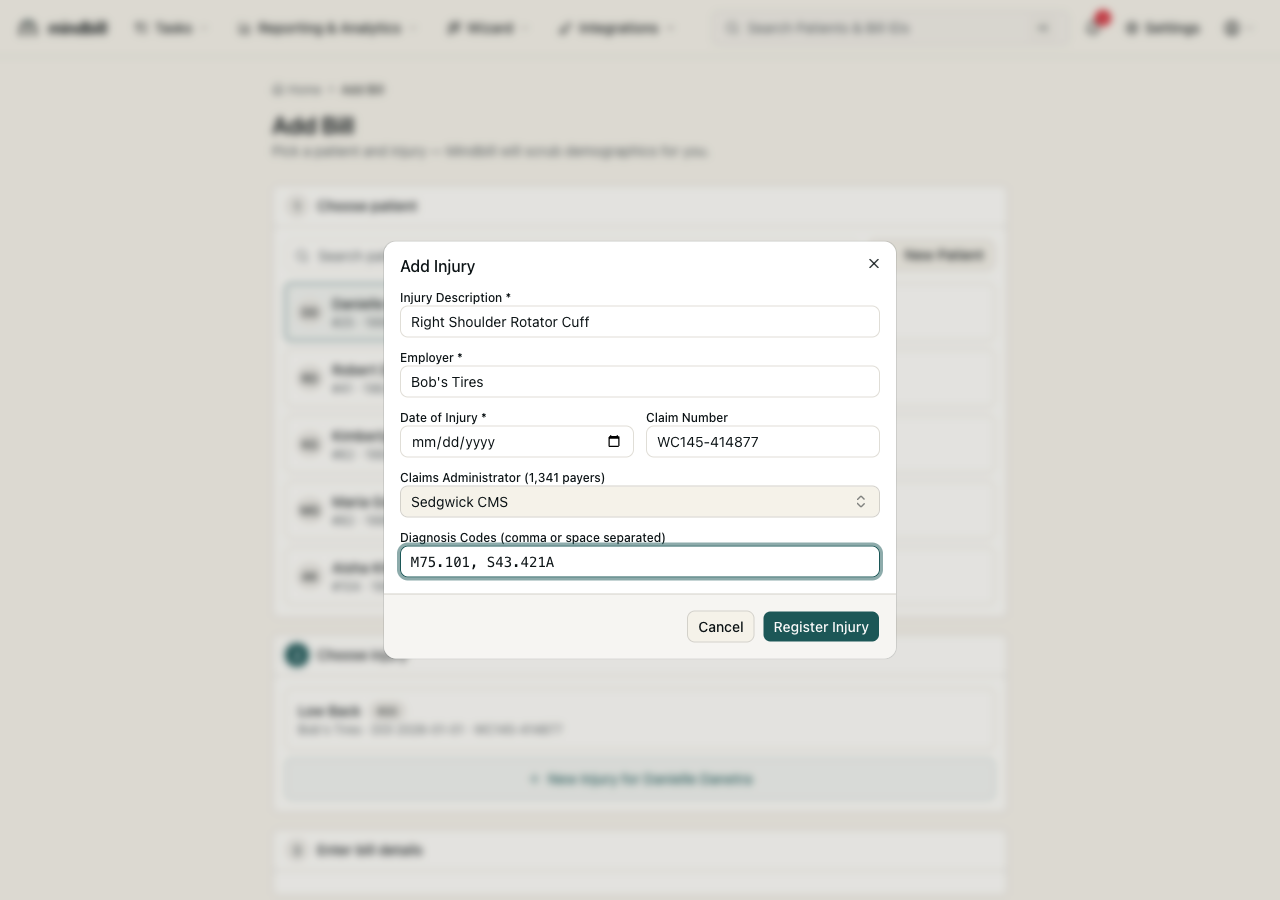
Step 3 — Pick the claims administrator and ICD-10 codes
The Claims Administrator field searches Mindbill's 1,341-entry payer directory — type the insurer, TPA, state fund, or self-insured employer name and Mindbill matches on legal name, also-known-as, and payer ID, then auto-detects the EDI grade and routing clearinghouse. Finally, enter the ICD-10 diagnosis codes (comma- or space-separated, e.g. M75.101, S43.421A). Click Register Injury and the claim is saved — those diagnosis codes now populate every bill filed under it.