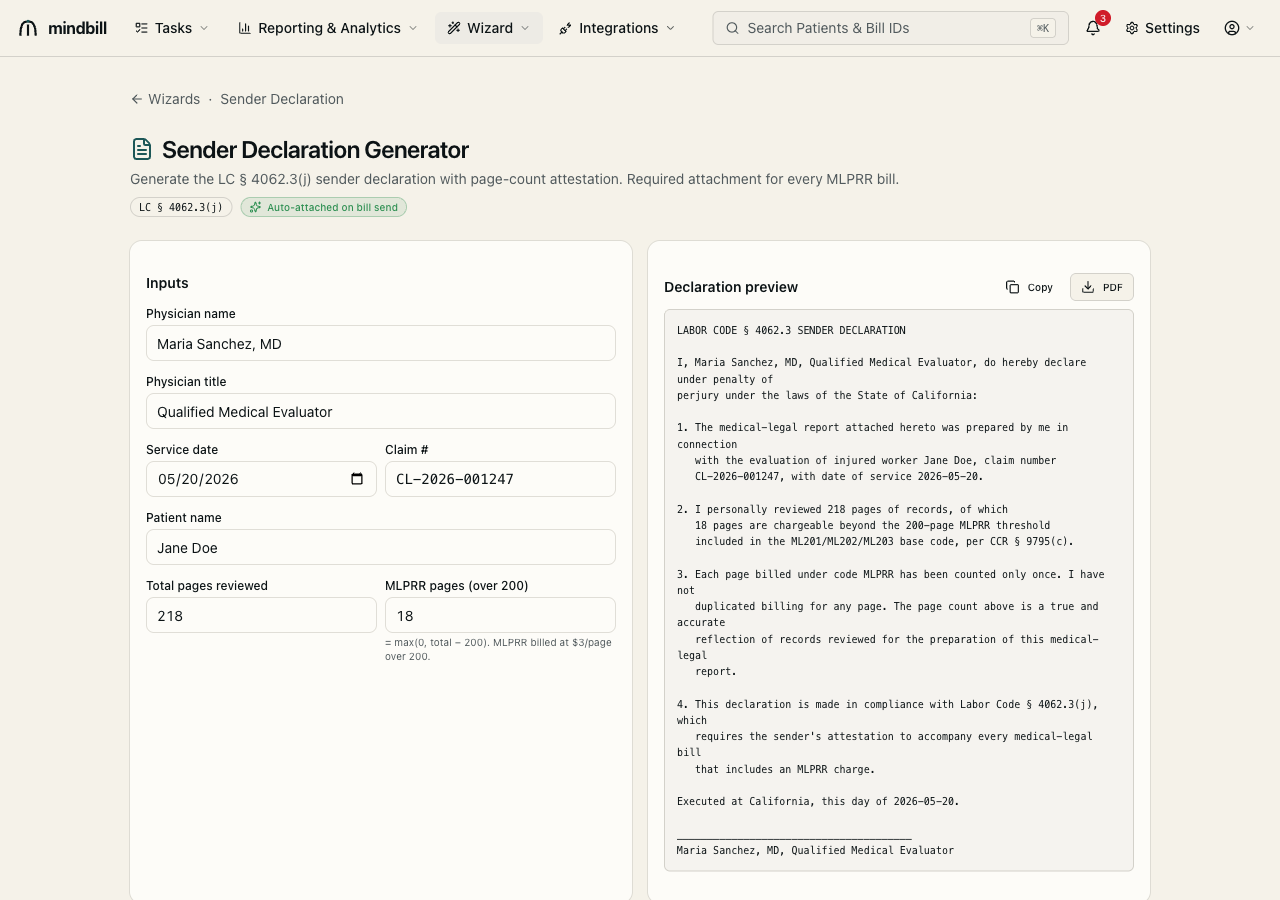
Step 1 — Enter the declaration inputs
Open the sender-declaration generator (/wizard/sender-declaration). The left panel captures the facts: physician name and title, service date, claim number, patient name, total pages reviewed, and the MLPRR pages (over 200). The right panel renders the actual declaration live as you type, so you're always looking at the document you'll file rather than a blank form.
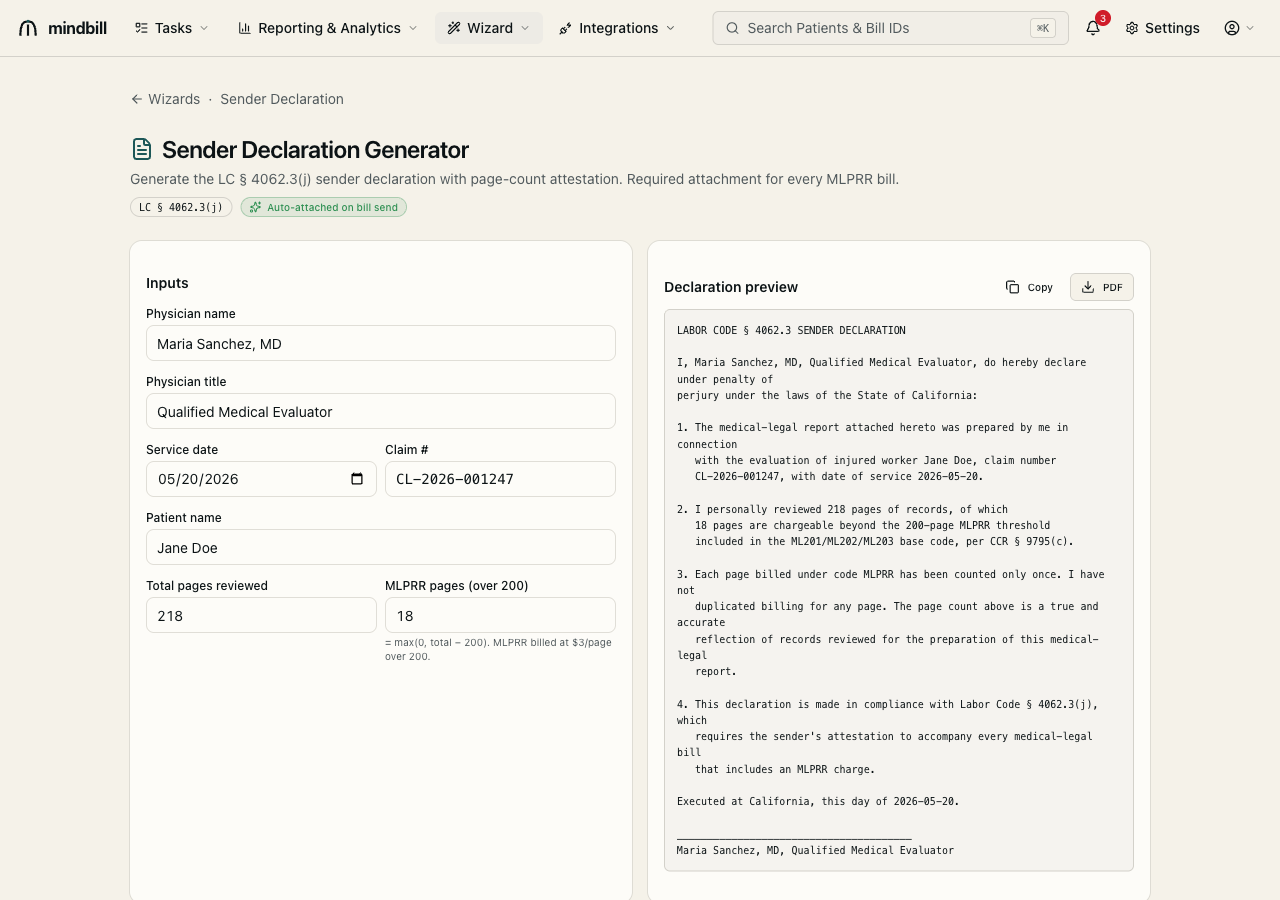
Step 2 — Read the sworn LC §4062.3(j) language
The preview is the real declaration, made under penalty of perjury under California law. It states that the report was prepared by the named physician for the named injured worker and claim, that they personally reviewed a specific number of pages of which a specific count is chargeable beyond the 200-page threshold included in ML201/ML202/ML203 per CCR §9795(c), and that each page billed under MLPRR was counted only once. That single-count, no-duplication attestation is exactly what payers demand before allowing the charge.
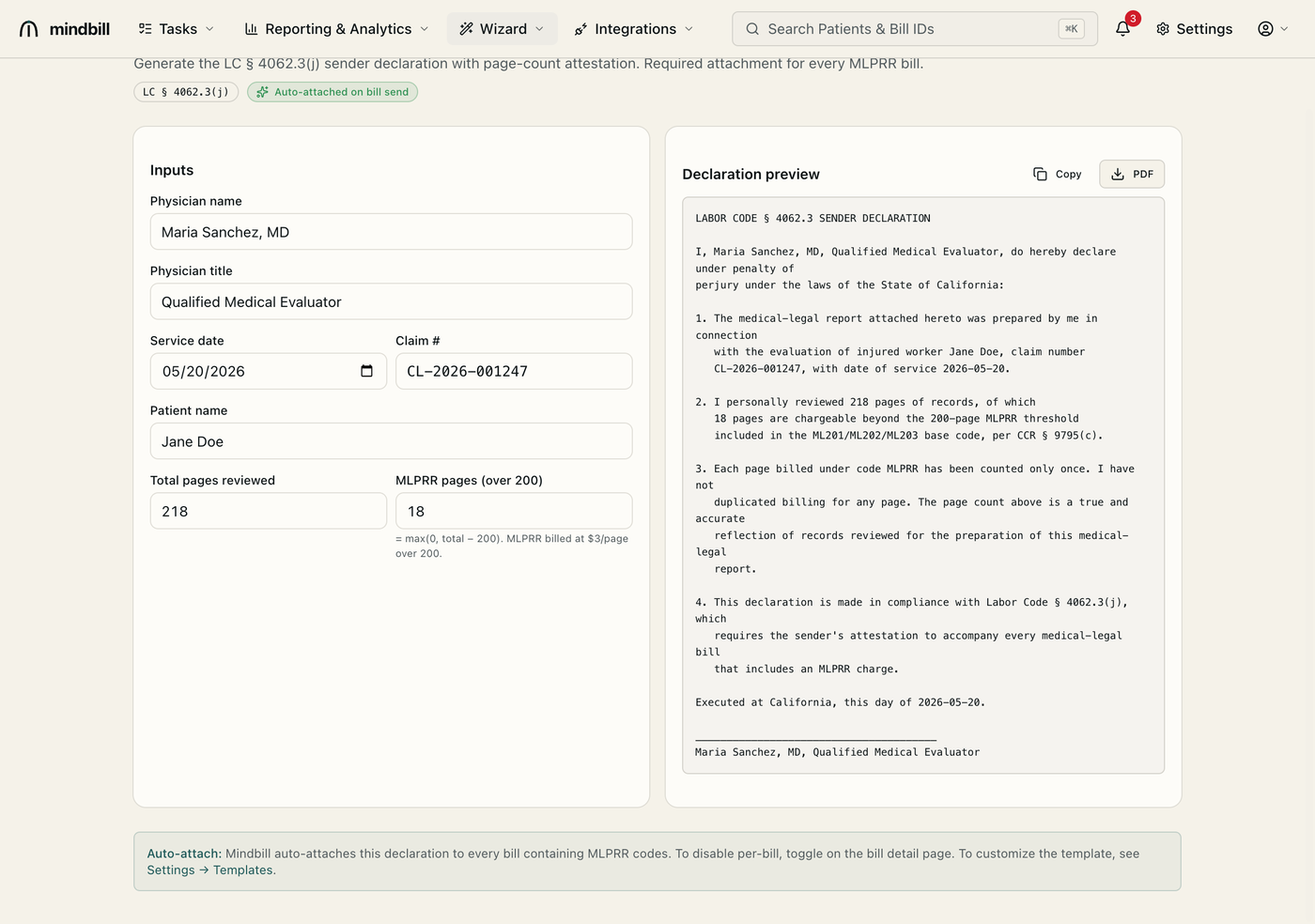
Step 3 — Let the page-count math drive the charge
The chargeable pages are computed as max(0, total − 200), and MLPRR bills at $3 per page over 200. So a 218-page review yields 18 chargeable pages; a 350-page review yields 150. Changing the total pages updates the declaration and the chargeable count together, keeping the sworn page count and the MLPRR line on the bill in exact agreement — a mismatch between them is itself a rejection trigger.
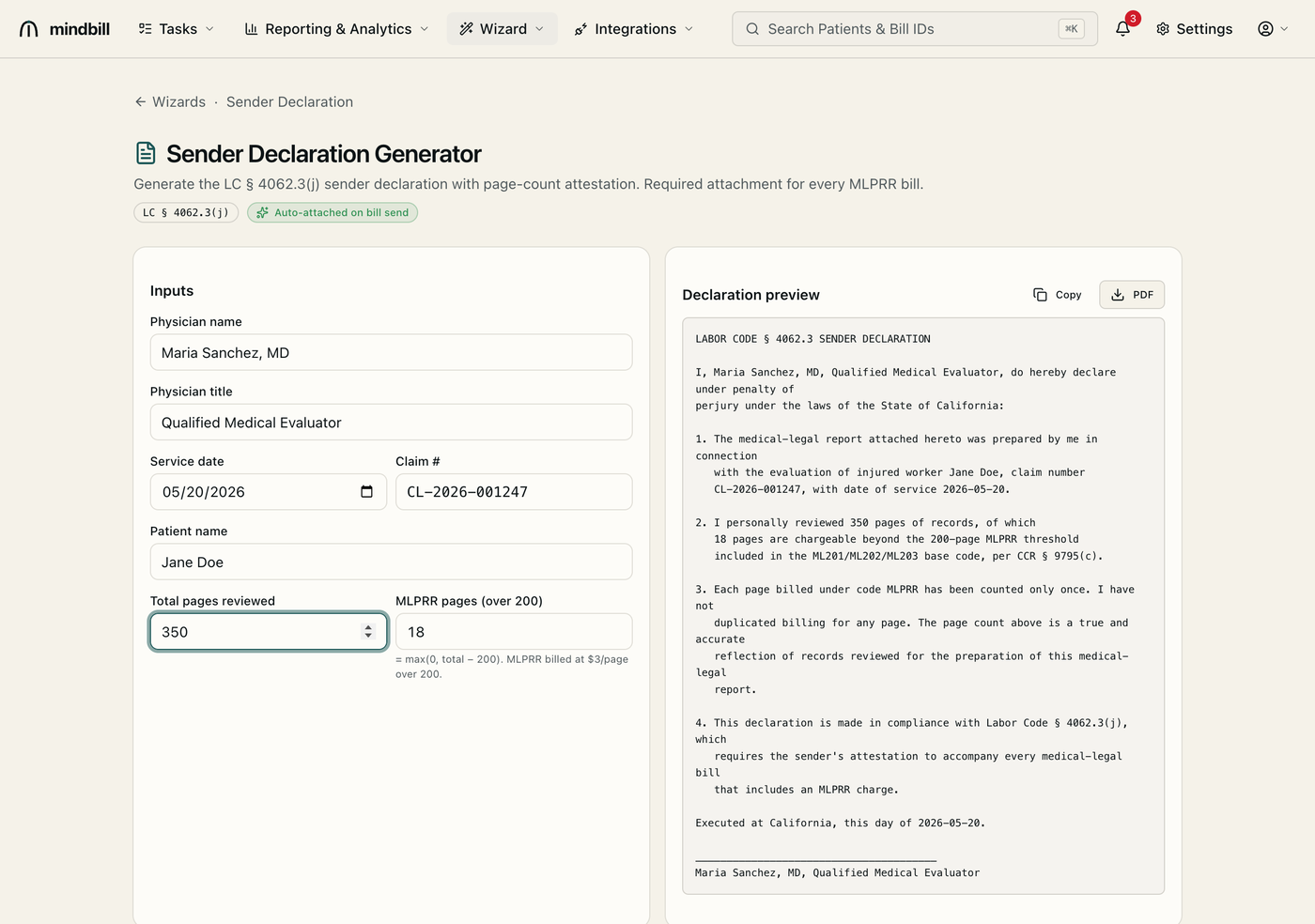
Step 4 — It auto-attaches to the MLPRR bill
Copy the declaration or export it as a PDF, but you usually don't have to do anything manual: Mindbill auto-attaches the §4062.3 declaration to every bill that contains an MLPRR line, so the attestation always rides along with the charge it justifies. That automatic pairing is what turns the most-rejected med-legal code into a routinely-paid one.