Step 1 — Open a processed bill and read the variance banner
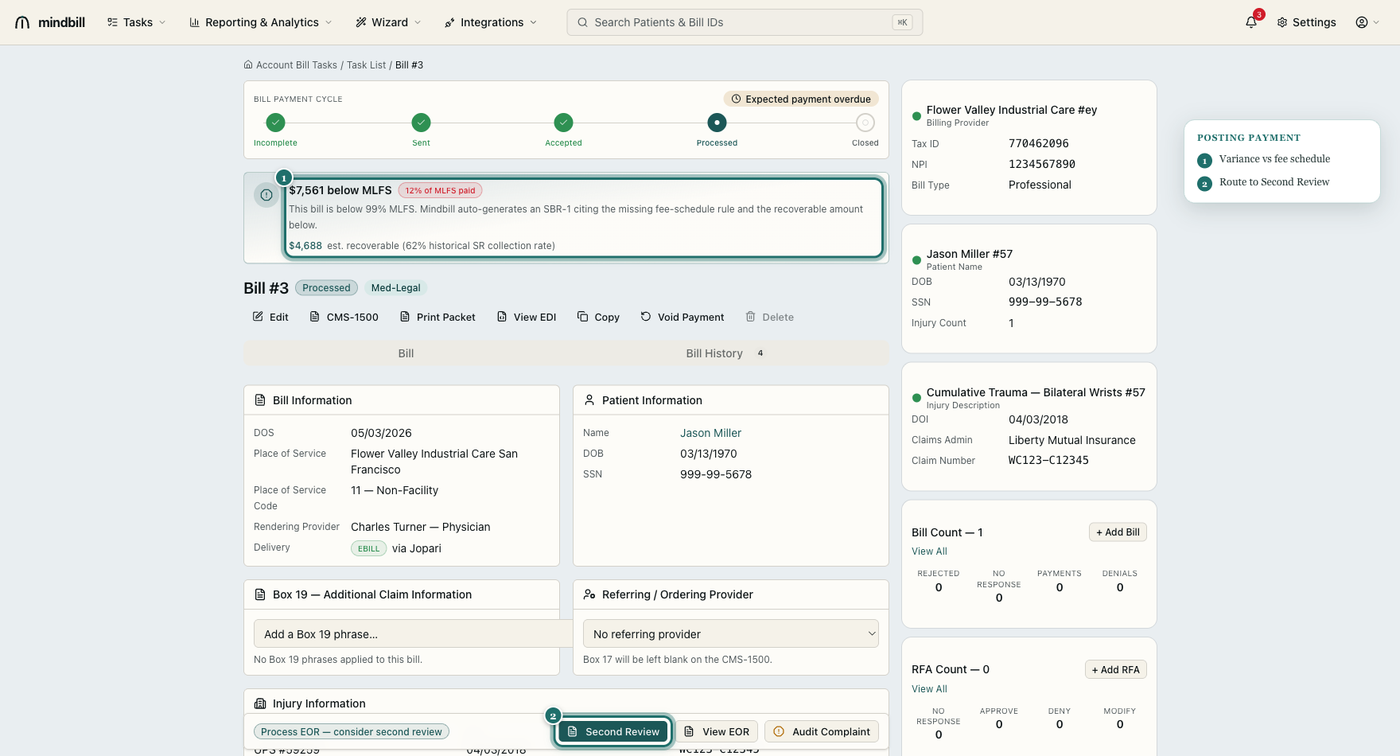
Open any Processed bill from the bill list. The header banner does the math for you: it states the dollars below the Medical-Legal Fee Schedule and the percentage of MLFS actually paid. In this example the payer remitted only 12% of MLFS — $7,561 below schedule — and Mindbill surfaces an estimated $4,688 recoverable based on the 62% historical Second Review collection rate. A banner like this is your signal that the EOR needs a response, not a write-off.
Step 2 — Reconcile the EFT to the posted EOR
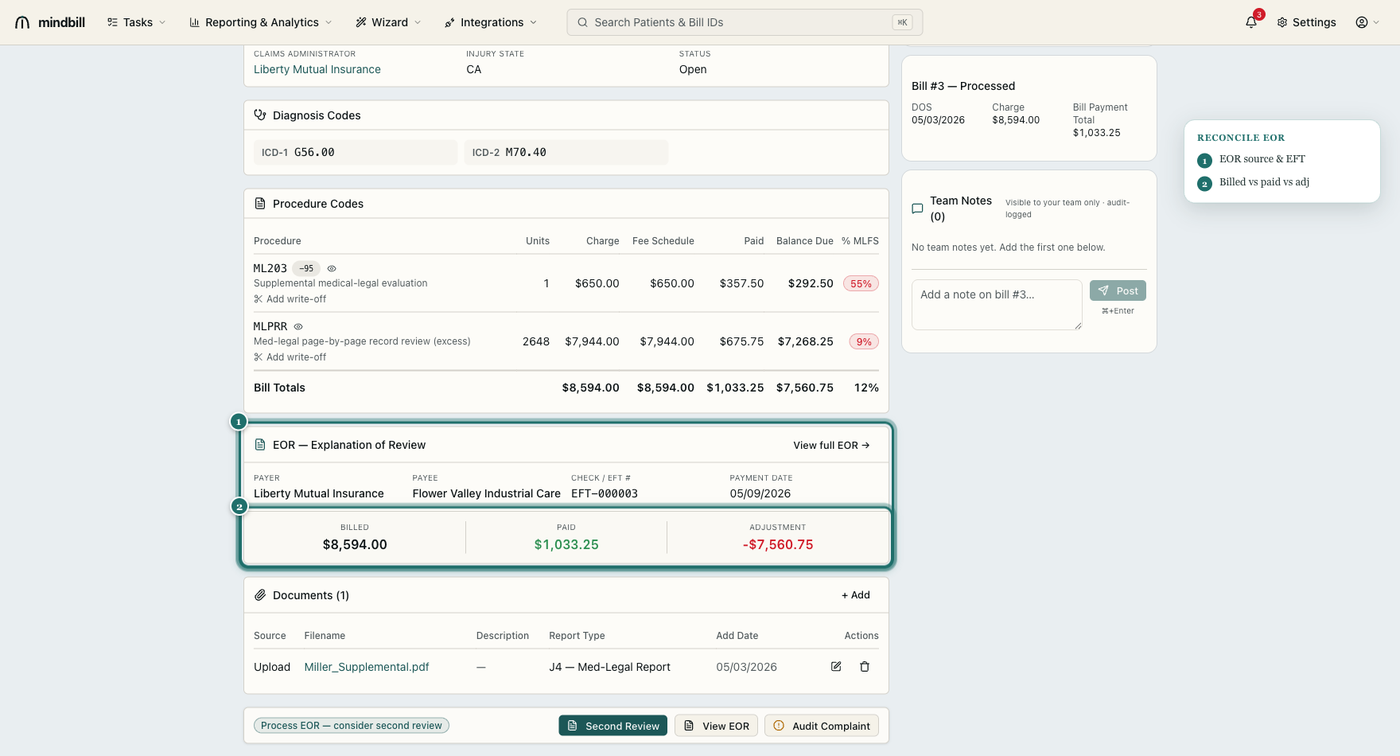
The EOR — Explanation of Review panel shows the payer, payee, check/EFT number, payment date, and the billed / paid / adjustment trio (e.g. billed $8,594.00, paid $1,033.25, adjustment -$7,560.75). Each procedure line carries its own variance percentage against the MLFS allowance, so a line paid at 9% of schedule stands out next to one paid in full. This is how you confirm the deposit matches the EOR and catch a line the payer downcoded.
Step 3 — Work the Reconciliation queue
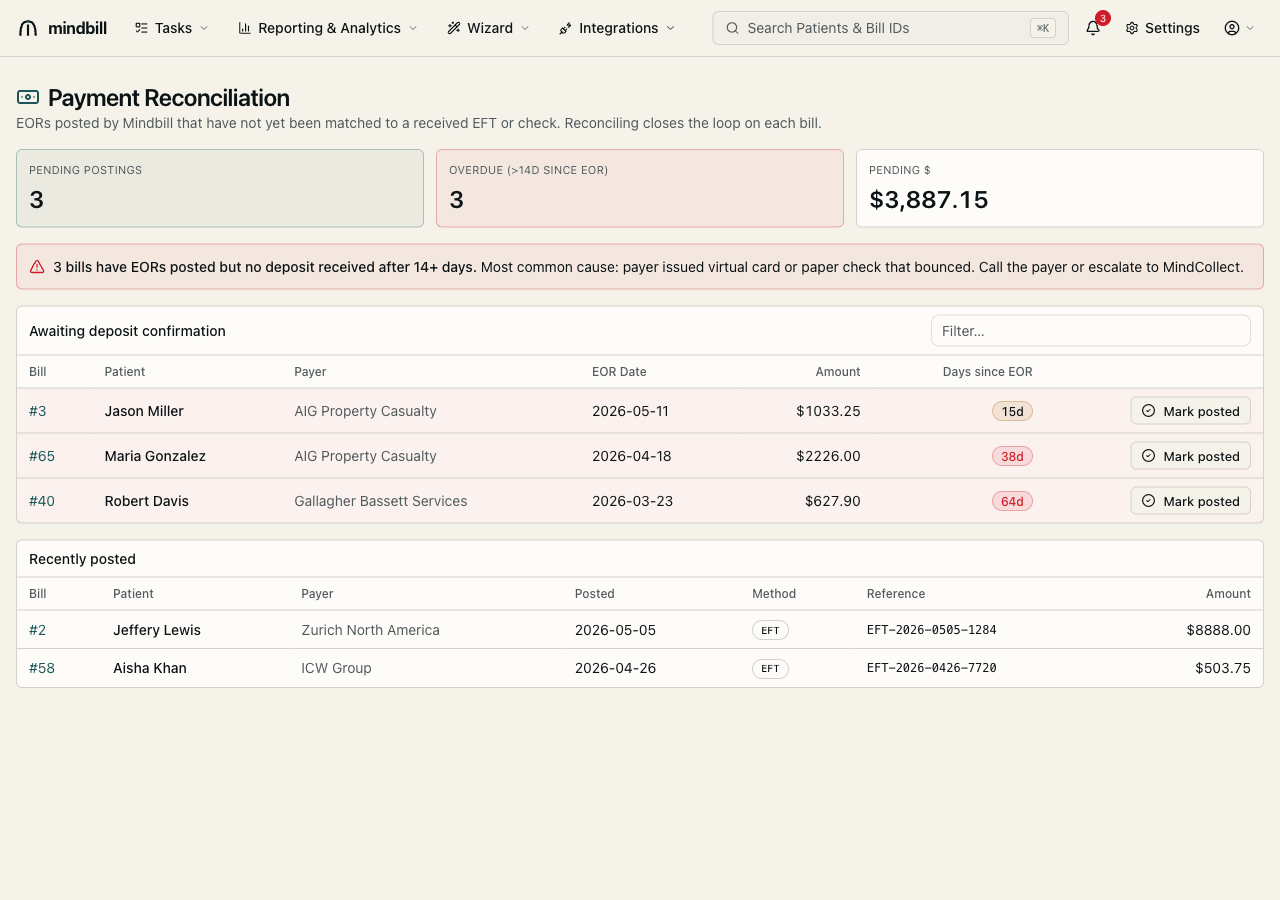
The Payment Reconciliation view (/reconciliation) lists every EOR Mindbill has posted that has no matching EFT yet — with pending count, overdue count (EORs older than 14 days with no deposit), and total pending dollars. When a deposit lands, click Mark posted to close the loop on that bill. An EOR posted but unpaid after 14+ days usually means a virtual card or a bounced paper check — a cue to call the payer or escalate to MindCollect.
Step 4 — Void a mis-post, or route the underpayment to Second Review
If a payment was posted to the wrong bill or amount, use Void Payment on the bill detail to reverse it and re-post cleanly. When the EOR is simply an underpayment, don't write it off — Mindbill auto-generates the SBR-1 from the EOR's adjustment code and shows the recoverable dollars right on the banner. One click sends the dispute to the Second Review queue with the correct §9789.30(d) or fee-schedule playbook pre-selected, turning a 12%-of-MLFS denial into a recovered payment.