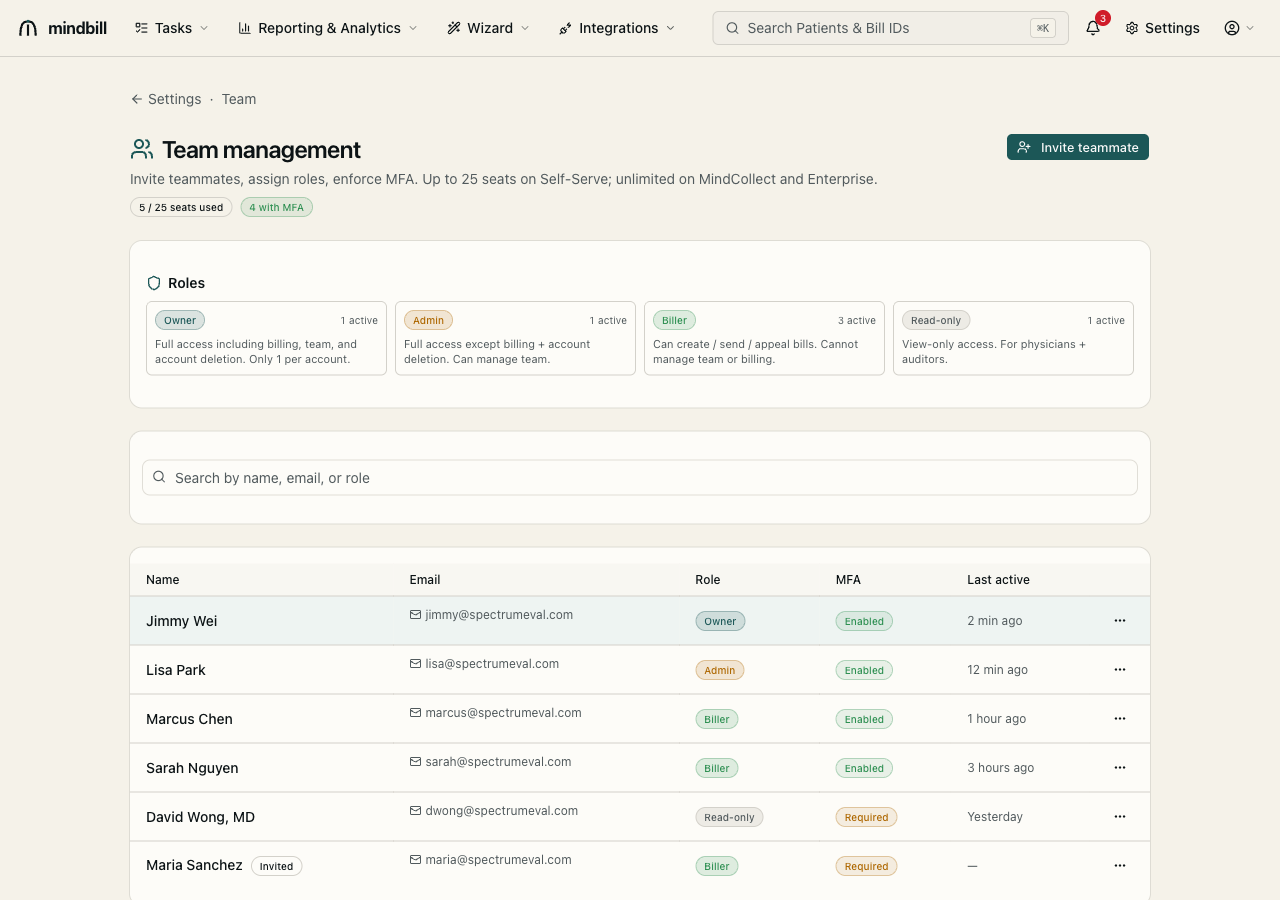
Step 1 — Open team management
Open Settings → Team (/settings/team). The header shows seats used against your plan limit (e.g. 5 / 25 on Self-Serve; unlimited on MindCollect and Enterprise) and how many users have MFA enabled. The roster below lists every teammate with their email, role, MFA status, and last-active time — your at-a-glance view of who has access and whether they've secured it.
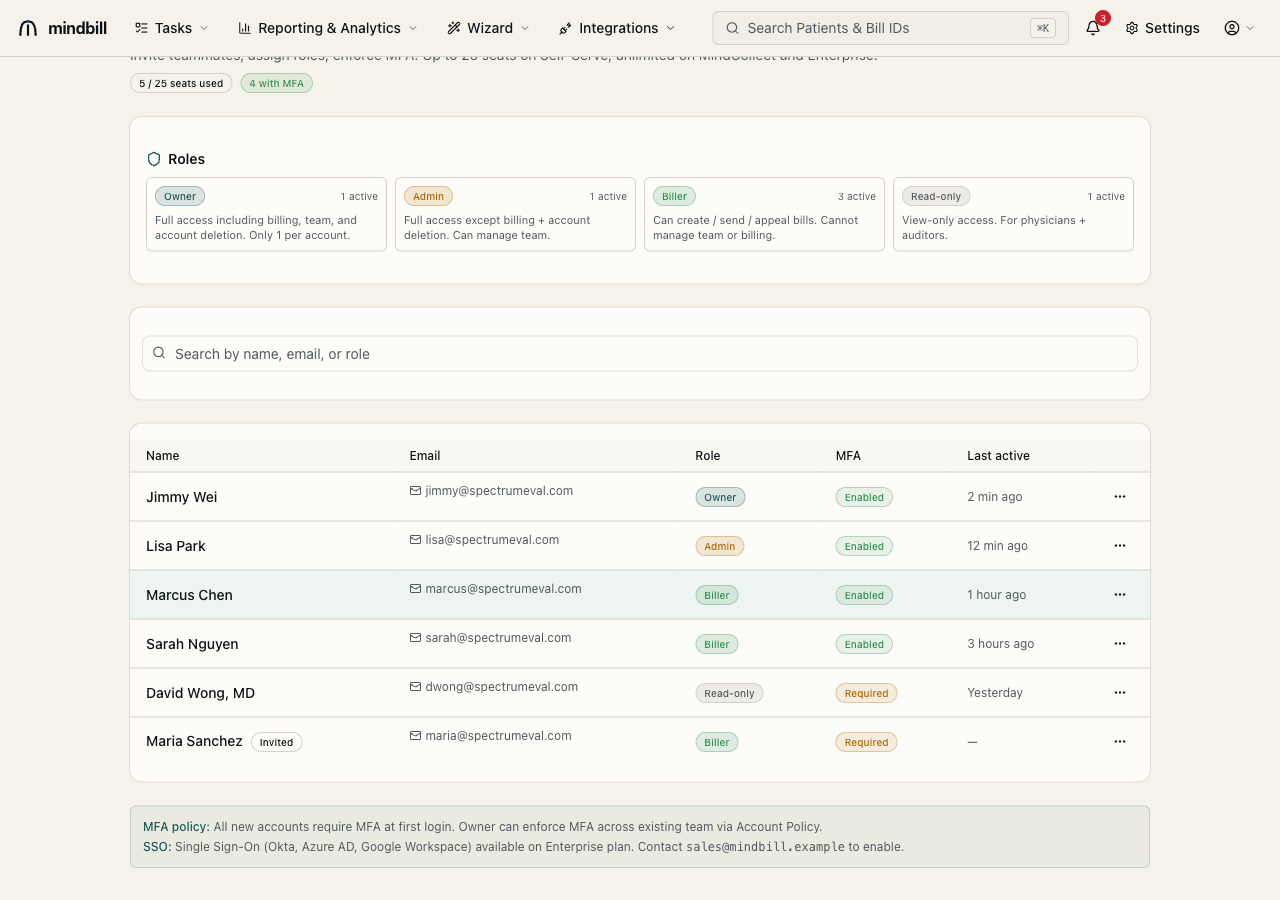
Step 2 — Understand the four roles
Mindbill has four roles, each scoped to least privilege. Owner: full access including billing, team, and account deletion — exactly one per account. Admin: full access except billing and account deletion, and can manage the team. Biller: can create, send, and appeal bills, but cannot touch team or billing. Read-only: view-only, for physicians and auditors who need visibility without edit rights. Assign the narrowest role that lets each person do their job.
Step 3 — Invite a teammate
Click Invite teammate, enter their email, and assign a role. The invite consumes a seat against your plan limit, so the seat counter updates immediately. The new user sets their own password and is required to enroll in two-factor authentication at first sign-in — you never handle their credentials, and the account is secured before it can touch a bill.
Step 4 — Enforce MFA, SSO, and the audit trail
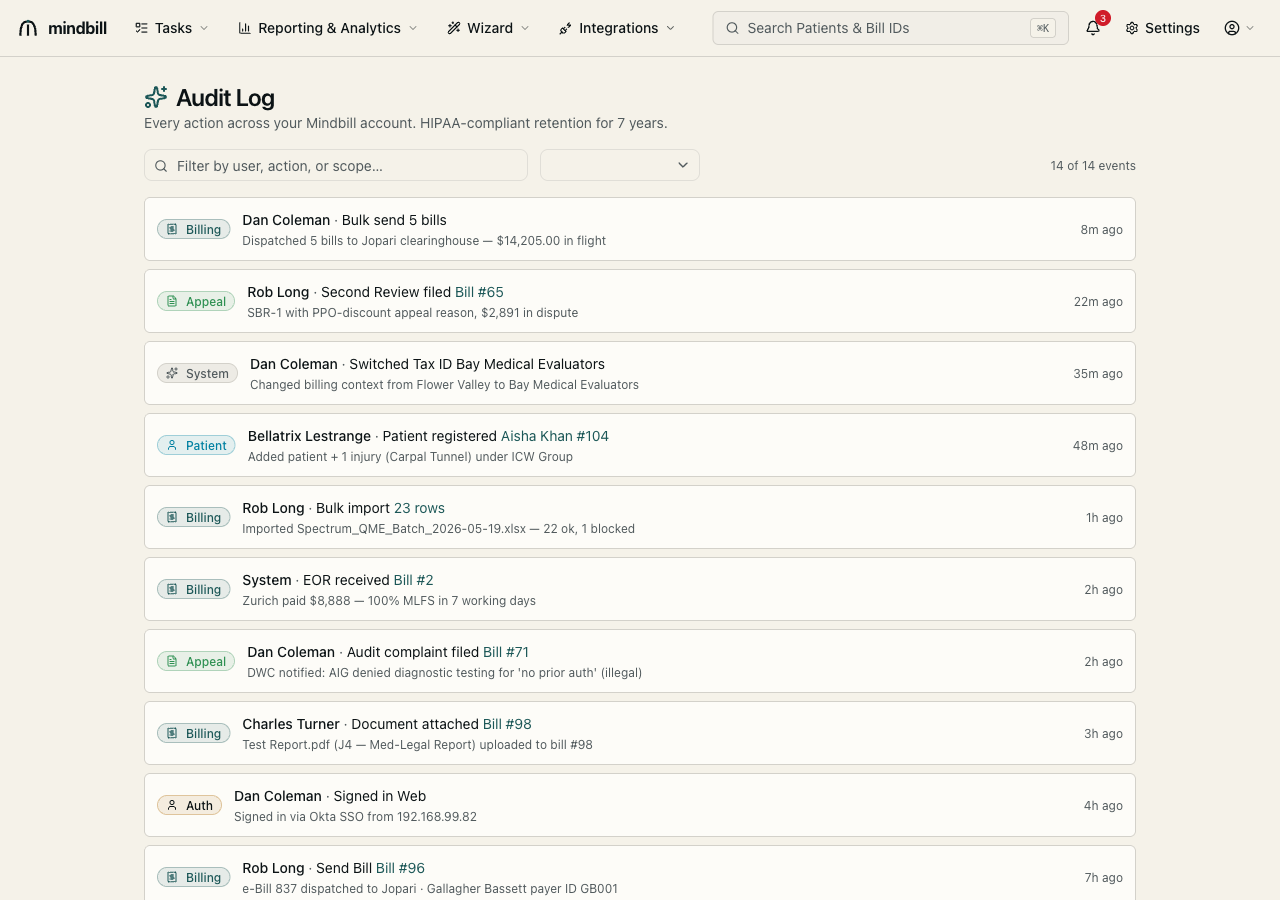
New accounts require MFA at first sign-in, and admins can enforce MFA across the entire team so no seat goes unprotected. On Enterprise, SSO (Okta, Azure AD, Google Workspace) centralizes sign-in and offboarding. Every user action — sending a bill, filing an appeal, changing a setting — is captured in the account-wide audit log with the actor and timestamp, so access control and accountability are two sides of the same record.