Step 1 — Read the five lanes
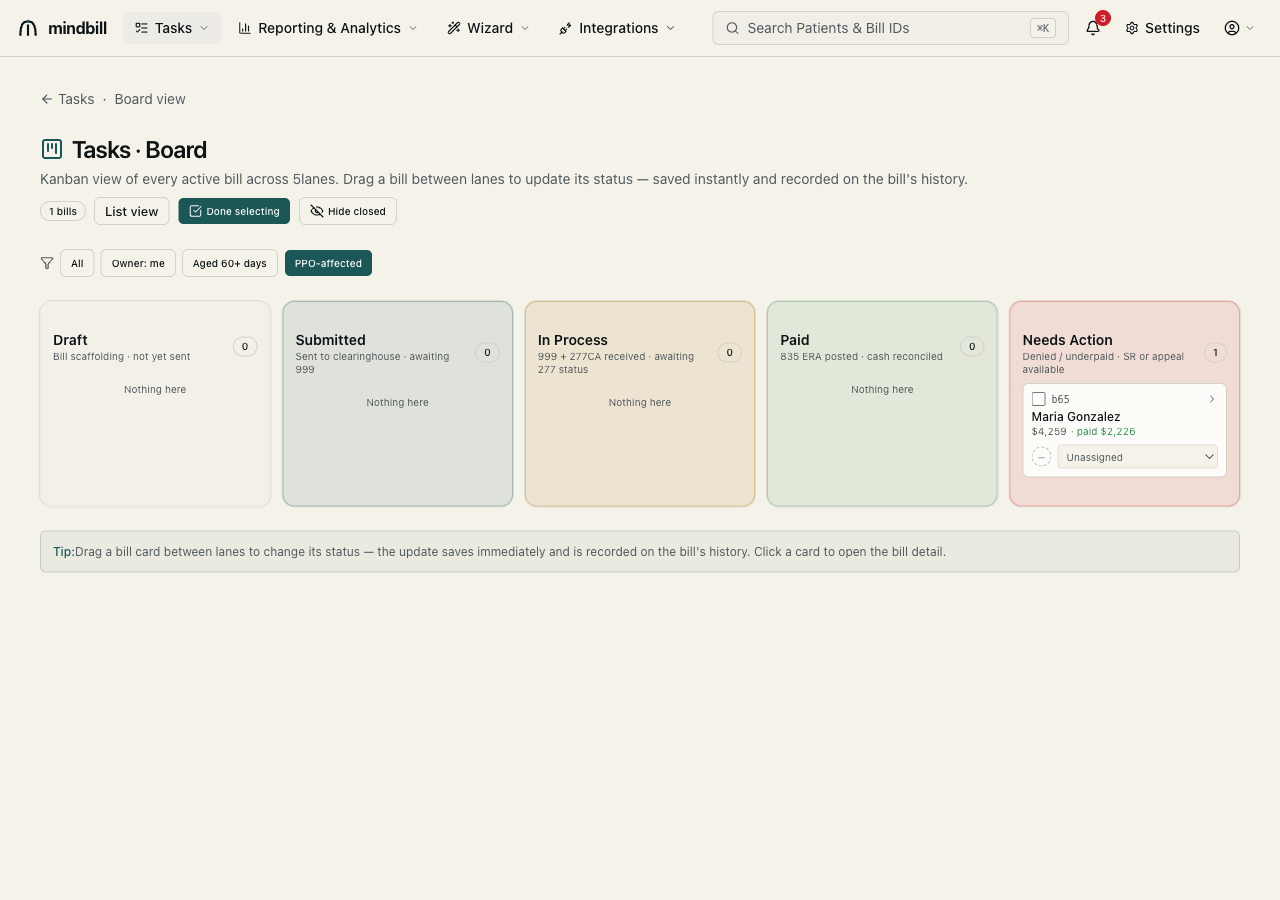
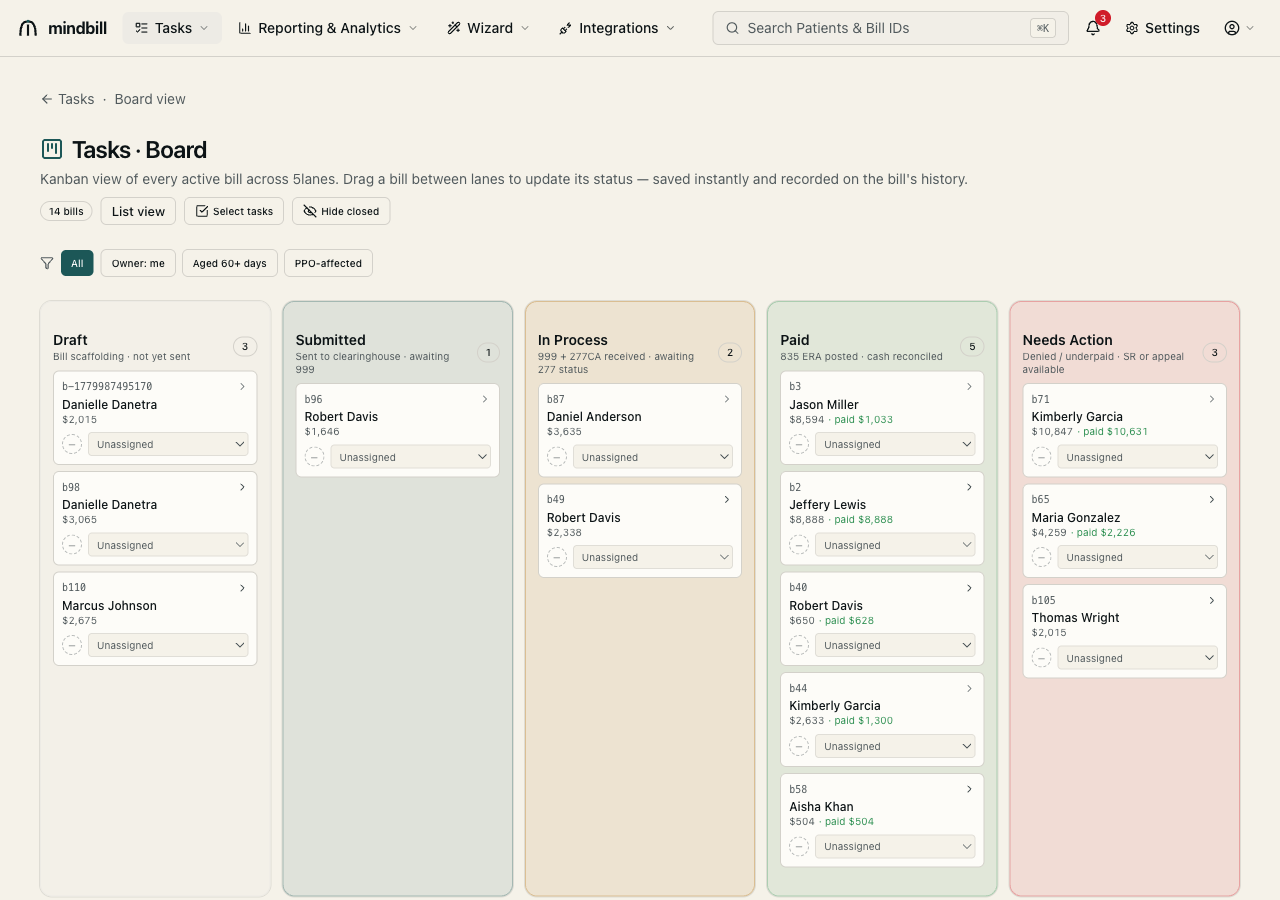
The board (/tasks/board) shows every active bill across five lanes that mirror the payment cycle — Draft (bill scaffolding, not yet sent), Submitted (sent to clearinghouse, awaiting 999), In Process (999 + 277CA received), Paid, and Needs Action. Each lane header shows its count, and each card shows the patient, the billed amount, and (when paid) the amount collected. The Needs Action lane is where denied and underpaid bills land — your Second Review and audit-complaint queue.
Step 2 — Change status by dragging, assign by owner
Drag a bill between lanes to update its status — the change saves instantly and is recorded on the bill's history. Each card also carries an owner selector (Unassigned, or a teammate like Dan Coleman, Rob Long, Charles Turner) so work routes to the right person. Use the filter row to focus the board: Owner: me, Aged 60+ days, or PPO-affected. The PPO-affected filter, for instance, isolates just the bills with an illegal network reduction waiting on a Second Review.
Step 3 — Batch-select and close in one pass
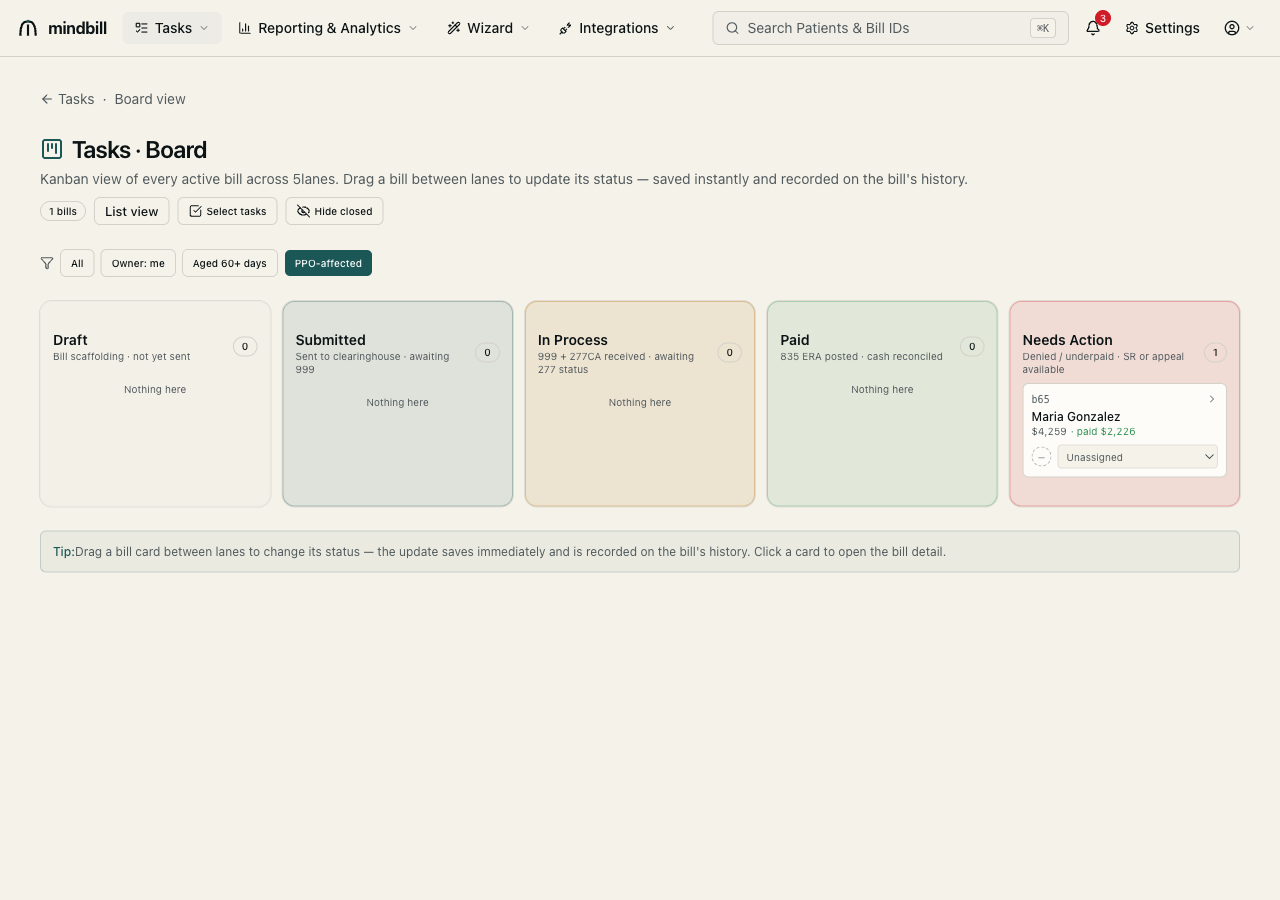
Switch on Select tasks to enter multi-select mode, tick the bills you want to act on across any lane, and apply a batch action — closing a group of fully-paid bills in one click instead of opening each. Hide closed keeps the board focused on live work, and List view swaps the Kanban for the sortable bill list when you'd rather work in a table. Every status change, assignment, and batch close is audit-logged on each bill.