Step 1 — Confirm you've completed exactly one Second Review
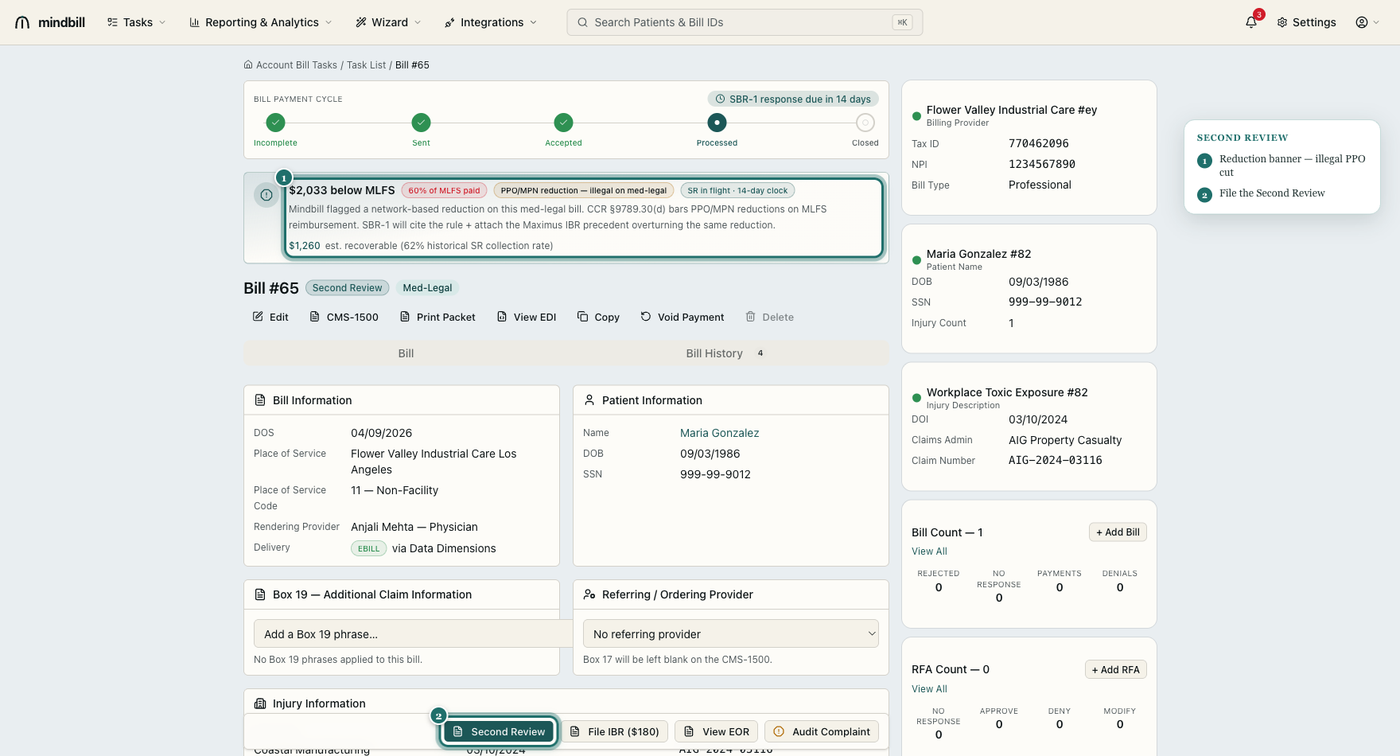
IBR is the second and final step in the dispute ladder — it is only available after one SBR on the same EOR. Open the disputed bill: if the Second Review was denied or upheld, the bill detail shows the SBR-1 on file and a File IBR ($180) action. Don't file IBR for a medical-necessity denial (that's IMR/IBMR) or for anything that never went through Second Review — Maximus will reject it on procedure.
Step 2 — Generate the DWC IBR-1 application
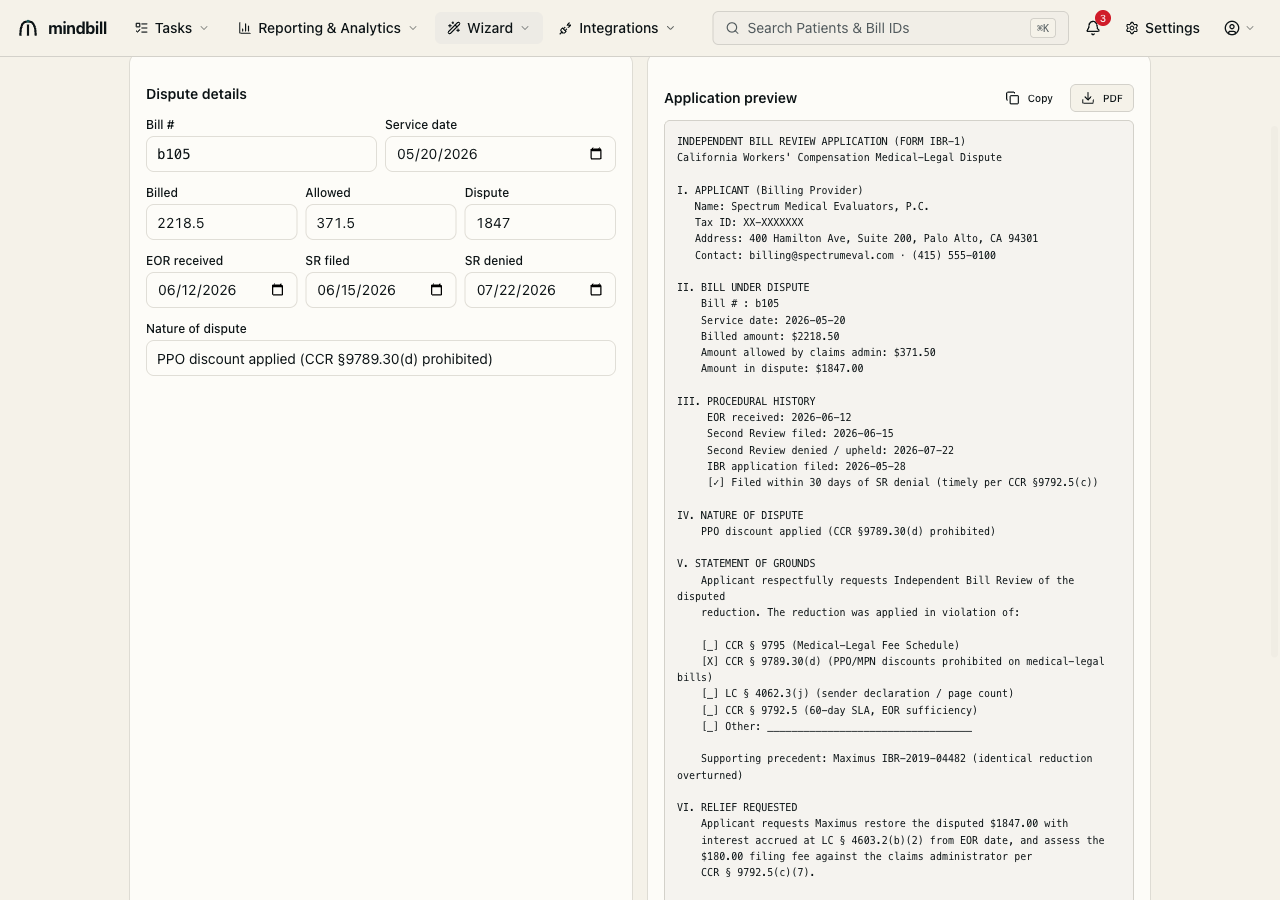
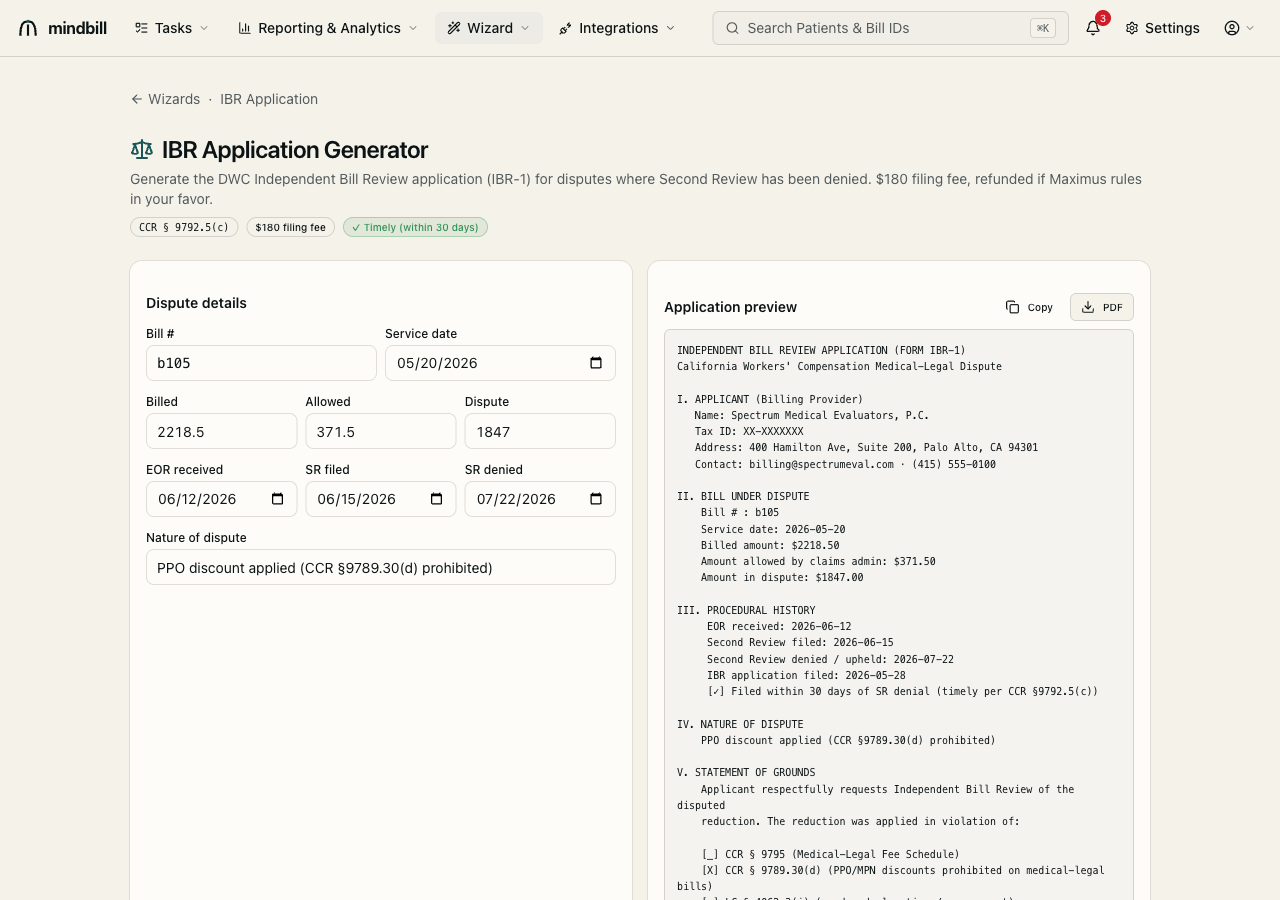
Open the IBR Application generator (/wizard/ibr-application). It pre-fills Form IBR-1 from the bill: applicant (billing provider) identity, the bill number and service date, and the billed / allowed / disputed amounts. The left panel captures the dispute details; the right panel renders the actual application preview you'll file. Mindbill assembles it under the governing rule, CCR §9792.5(c).
Step 3 — Pass the 30-day timeliness check and pay the $180 fee
IBR must be filed within 30 days of the Second Review response. The generator validates that window from the procedural dates you enter (EOR received → SR filed → SR denied) and shows a ✓ Timely (within 30 days) badge before you can submit — so a missed deadline is caught here, not by Maximus weeks later. The $180 filing fee is required, and it is recovered from the claims administrator when Maximus rules in your favor.
Step 4 — File with the Maximus citation attached
The IBR-1 preview lays out the full grounds for the dispute. For a PPO/MPN reduction it cites CCR §9789.30(d) and attaches the controlling Maximus precedent (IBR-2019-04482) that overturned the identical reduction — settled law that makes these disputes highly winnable. Review the rendered application, export the PDF, and file. Mindbill records the submission on the bill history and tracks the determination back to the bill.